Network Diagram Complete Guide
Edraw Content Team
Do You Want to Make Your Network Diagram?
EdrawMax specializes in diagramming and visualizing. Learn from this network diagram complete guide to know everything about the network diagram. Just try it free now!
A network diagram visually represents all the different entities in a group. Creating a network diagram for your audience will help them understand the relationship between all the parties involved. You may not know how the relationship between the different players works, but a network diagram can help everyone involved better understand each other.
Imagine if you could harness the power of a network diagram to accomplish anything even things you thought were impossible effortlessly. In today's fast-paced world, the ability to create a functional and practical network diagram can be invaluable. Whether you are looking to manage your network, develop a new business strategy, or communicate ideas to others, you will love this super easy tool that draws network diagrams professionally. In this article, you'll learn everything about the network diagram and how to use it to show who you know, what you know, and who's responsible for what in your organization.
1. What is a Network Diagram
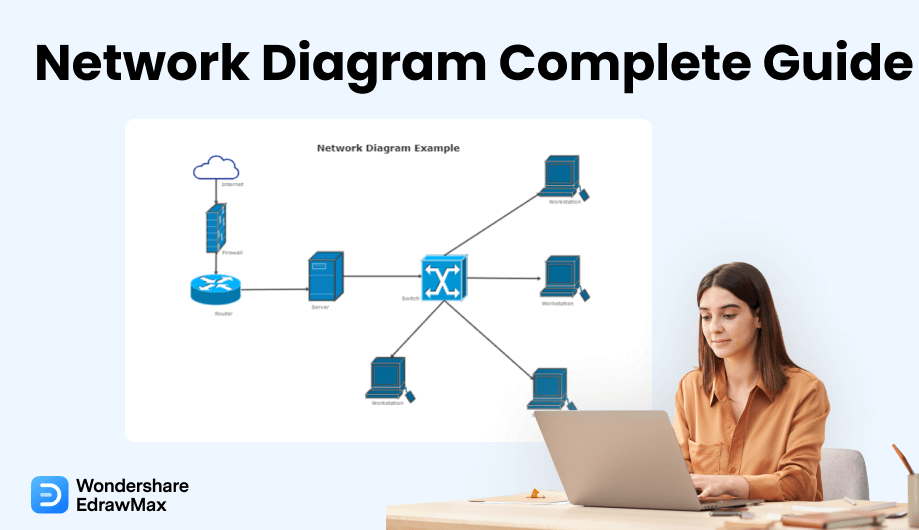
The network diagram is a schematic depicting the nodes and connections amongst nodes in a computer network or, more generally, any telecommunications network. Network diagrams are often drawn with professional drawing software tools. There are different types of network diagrams provided by EdrawMax and you can get started with it now! Network diagrams show what the components of a network are and how they work with each other. Physical network diagrams illustrate the relationship between pieces of hardware in a network, while logical network diagrams show the information flow throughout the network. Commonly used symbols in network diagrams include firewall, cloud, server, router, and signal.
The Usage of Network Diagram
Network professionals need to gather vital information and have it instantly on hand for troubleshooting, maintaining, and reporting on networks. They need detailed visuals to help identify tradeoffs and ensure that proposed systems meet key requirements. The need for accurate information about network assets is more intense than ever, and yet many network design and documentation tools are either highly limited drawing tools or overly complex, costly high-end systems. Concerning the usage of network diagram, there are some points listed below:
Network solution providers and system integrators who plan and implement IT structures;
IT/IS managers who document networks for effective troubleshooting, planning, and disaster recovery;
Network engineers who manage daily operations and communicate network designs to others;
Windows network administrators who administer network directories;
Pre- and post-sales network service providers and networking services firms;
Help desk staff who need to know the location and details of each piece of equipment.
The Classification of Network Diagram
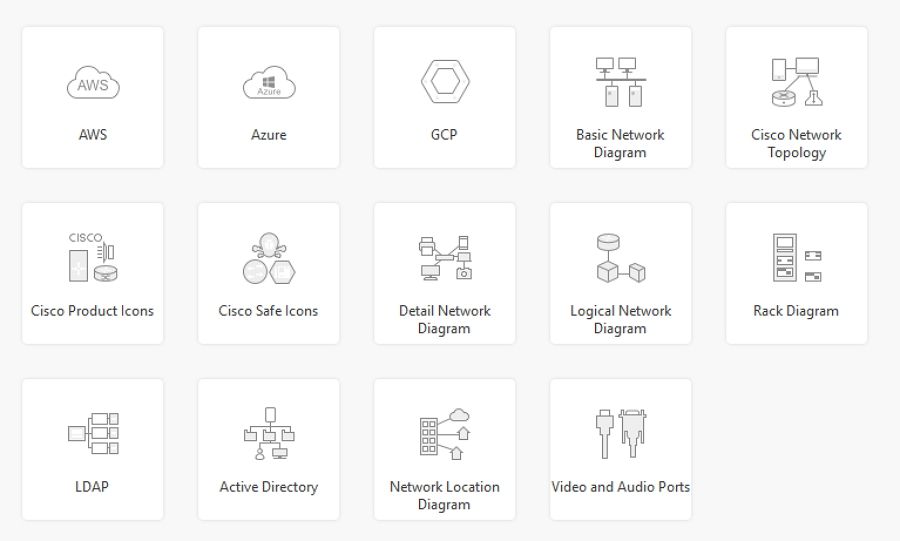
As for the classification of network diagram, throught different usages and systems, there are mainly 14 types of network diagrams. Due to the diverse usage and platform, there includes AWS, Azure, GCP, basic network diagram, Cisco network topology, Cisco produt icons, Cisco safe icons, detail network diagram, logical network diagram, rack diagram, LDAP, acitive directory, network location diagram, video and audio ports.
2. Network Diagram Symbols
The diagram symbols are the entities that represent the network components in a network diagram. Without these symbols, a network diagram could not be made. It is good to understand the basic definition of each symbol. In this section, we will know what these network diagram symbols are, their usage, and their representation.
2.1 Cloud
The cloud is nothing but a virtualized server set on the internet by the vendors who want to sell their services through a cloud. It is a pooled and centralized server recourse. The cloud can perform various heavy tasks virtually as a standard server does. It also grants you space to upload your data on it. In a network, the cloud is also integrated to establish the virtualized servers and send and upload the network data on it.

2.2 Firewall
The firewall is like the shield that protects the network and prevents malicious activity from entering a network from outside the network. So, the firewall usually sits in front of a network. The firewall can be both the hardware and software. The hardware firewall is used to protect a whole network, while the software-based firewall installed on a particular PC only protects it. The firewall is separately shown in a network diagram in a network before or after a router. The firewalls are made for protecting different networks. For example, the web-based firewall protects you from malicious content on the internet. A packet-filtering firewall can save you from both malicious contents on the internet or coming inside from an external network.

2.3 Terminal
A terminal is software that provides you the command line interface on the desktops and lets you perform administrative tasks. Moreover, with a terminal, you configure and secure the network components. The network components like routers, switches, firewalls, hubs, etc., are configured using the command-line interface as there is no Graphical User Interface(GUI) in these components. In a network diagram, the terminal is represented by a desktop.

2.4 Switch
The switch is the networking hardware component that works on the second layer of the OSI model. It is a device that contains multiple ports on, and on these ports, the ethernet cable is plugged into that is coming from a particular host. The switch is a device used to connect the devices in a network forming a Local Area Network(LAN). The switch uses the MAC addresses of the hosts to send and receive the packets of data from one host to another host.
2.5 Bridge
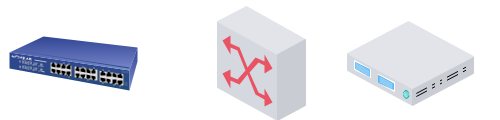
The bridge is what its name suggests. It is a networking hardware device through which multiple local area networks communicate. The bridge connects multiple networks forming one extensive network. This process of connecting or aggregating the network is called network bridging. The bridges also operate on the second layer of the OSI model and hence uses the MAC addresses of hosts to transmit or receive data. It can also connect multiple virtual LANs or VLANs.

2.6 Server
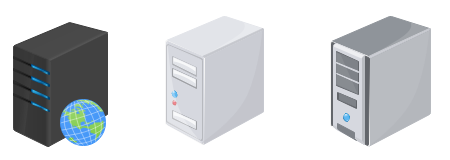
The server is a computer that is programmed to perform the tasks that standard computers do not do. The server is made to respond to the requests that are coming from the client-side and let them perform some specific tasks or do the tasks for the client. In short, the servers are the programs that provide services, resources, and data to other computers that are its clients. The server can be both hardware and software. The communication of client and server communication is called the client-server model.
2.7 Router
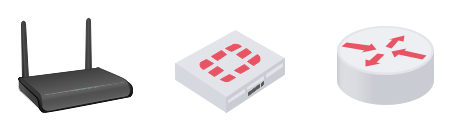
The router is the networking hardware device that connects multiple networks to the internet, not only the internet, but it can also connect two or more networks based on their subnets and IP addresses. The router operates on the third layer of the OSI model, where it requires the IP addresses of the networks and hosts to send or receive the data packets. It manages the network traffic between the networks.
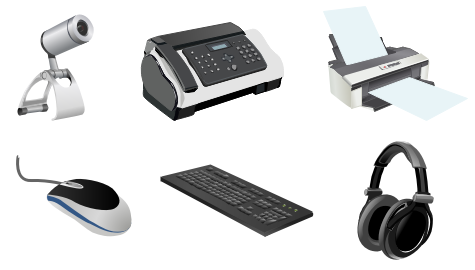
2.8 Peripheral Device
A peripheral device is a computer device that is named a peripheral in computer networking. It can also be a laptop, mobile phone, or printer.
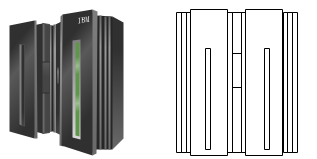
2.9 Mainframe
The mainframes computer are more than personal computers capable of doing high memory calculations, executions, transactions, etc. They are also used to do security operations for networks like cryptography, etc.
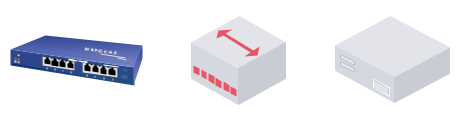
2.10 Hub
The Hub is the networking hardware device used to connect multiple computers forming a Local Area Network. It ran on the physical layers of the OSI model and was used before the switches were made.
2.11 Cisco, AWS, GCP, and Azure symbols
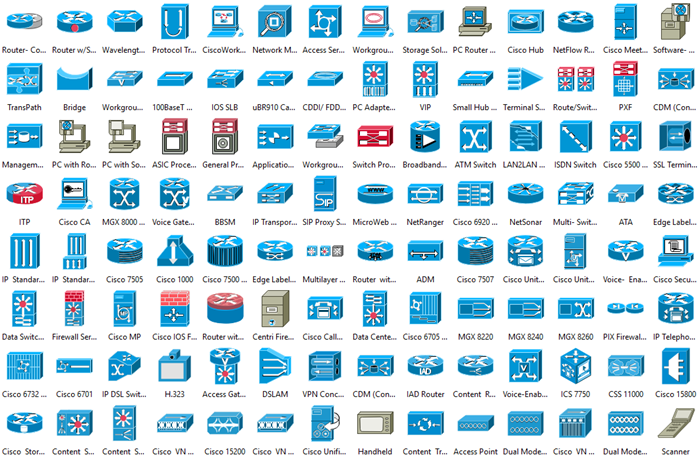
Cisco is a well-known networking services provider. It sells networks components all over the world. AWS, Azure, GCP are the cloud platform from Amazon, Microsoft, and Google. You can find all these types of network diagram symbols in EdrawMax!
3. What is Included in a Network Diagram?
A network diagram is compelling. We use them to visualize how different parts work together, what goes where, and how different nodes and links are connected. But a network diagram is only effective when it is complete. It's the missing parts that make a network diagram so powerful. Let's explore some of the most critical parts of a network diagram and how they can be used to increase its value:
- Nodes:
They represent individuals or other entities. Nodes can either be people, products, or services and represent relationships between each other in a network diagram. Network diagrams can help identify the relationship between nodes in an organization and the connections that may exist.
- Edges:
In a network diagram, edges represent relationships between people, products, or organizations. Edges can be either directed or undirected. Directed edges show relationships in a flow of information, while undirected edges show relationships but aren't necessarily used for communication.
- Attribute:
An attribute is a characteristic of the object. It describes a node or an edge. The attributes you put in your network diagram should be based on your unique goals. The more specific you are, the better. A common mistake is to include too many attributes in a network diagram. Instead, only include attributes you expect to see in the final project.
- Lines:
Represents the flow of data from your customer to your business. The first line in a network diagram, the solid line, is the Mainline. A Mainline represents the primary direction of the flow of a system, whereas a subsidiary line represents the secondary direction of flow.
- Circles:
Circles on a network diagram are used to show groups of related data. They provide a quick and visual overview of the relationships between nodes. They are used frequently in network diagrams to give a visual overview of groupings and relationships.
- Node Size:
The node's size doesn't indicate anything about the quality of the connection, but it does show the level of importance. The bigger the circle, the more the user connects with that particular item, and the more critical it is to them.
- Nodes;
- Edges;
- Attribute;
- Lines;
- Circles;
- Node Size;
4. Guidelines to Draw Network Diagrams
Some of the best practices to make your network diagram perfect are:
- The Symbols:
Use the network diagram symbols that are globally standardized and accepted. Try to use ones that are available on the internet.
- Crossing lines:
Please don't make the connecting lines intersect or cross each other it would make clutter in your diagram.
- Label:
Always label the symbol with what they are in the networking world. It makes your diagram more understandable and easy to use.
- Space between events:
Always try to make the events far from each other. For example, make the start event on one page and the finish event on another.
5. How to Draw a Network Diagram in EdrawMax
EdrawMax is a simple, all-around diagram tool that allows you to create network diagrams and other types of diagrams without stress. It contains symbols such as mainframe, terminal, cloud, firewall, comm-link, printer, switch, server, router, bridge, and hub. Network diagrams comprise symbols that make visualizing several types of networks easier. There are several ways to draw a network diagram. However, the best method is to use EdrawMax. It is an automated software that allows you to create a unique network diagram in minutes.
Step1 Open EdrawMax and Login
The very first step that you need to follow is to install EdrawMax in your system. Go to EdrawMax Download and download the network diagram software depending upon your operating system. If you need remote collaboration with your office team, head to EdrawMax Online and log in using your registered email address.
Step2 Select a Template
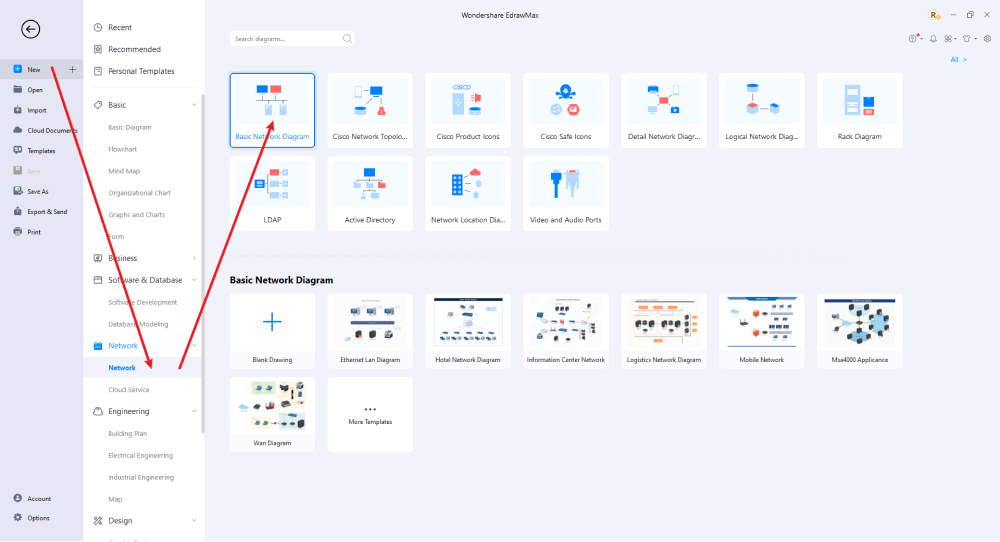
After launching, the Home screen opens by default. Head to the Template bar and search for Network Diagrams in the search box. In-built templates specific to your search will appear on the screen. EdrawMax features a large library of templates. We have more than 25 million registered users who have produced thorough Templates Community for each design. Select the template you like and click Use Immediately to open it in a new window for customization.

Step3 Create From Scratch
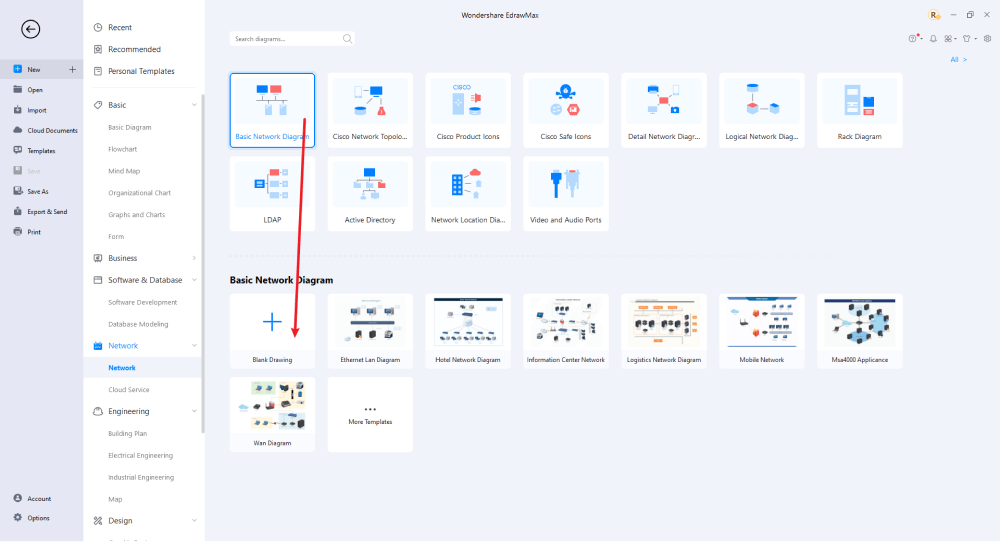
From the EdrawMax homepage, you will find the '+' sign that takes you right to the canvas board, from where you can start designing the network diagram from scratch. Coupled with your technical expertise, you can use a wide range of symbols to draw a detailed network diagram.
Step4 Select Symbols
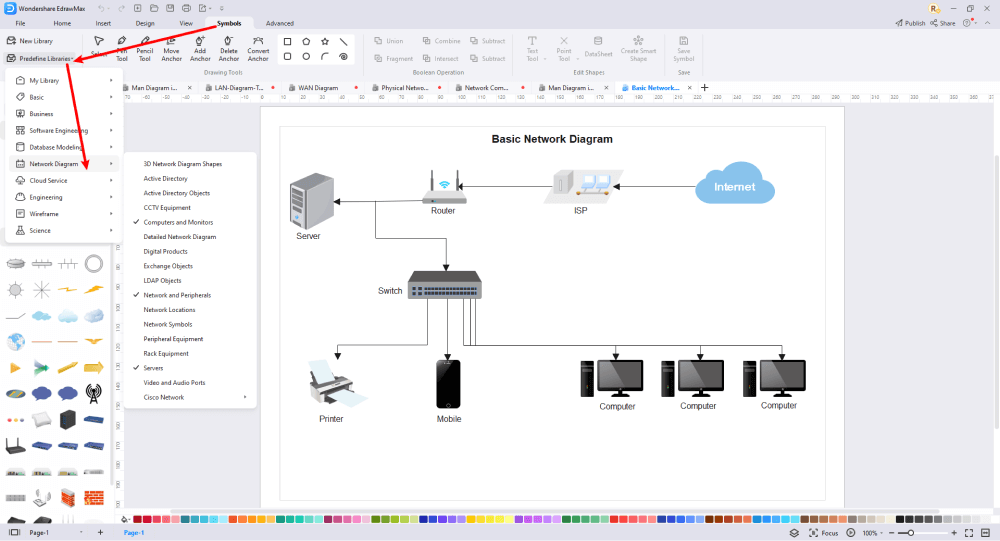
EdrawMax includes a large number of symbol libraries. You may quickly build any type of diagram with over 26,000 vector-enabled symbols. If you can't locate the symbols you need, you can easily import some images/icons or build your own shape and save it as a symbol for later use. Simply go to the 'Symbols' part of EdrawMax and select the 'Predefined Symbol' section from the top toolbar. Hundreds of symbol categories are accessible for you to utilize and incorporate into your network diagram.
Step5 Add Components
After you have sketched out the basic pieces, you may customize the typefaces, colors, and other details by selecting the right or top menu to make your network design more visually appealing. Also, feel free to draw ideas from other layouts on Templates Community and transfer some of the photos or features that you think would go well with your network design.
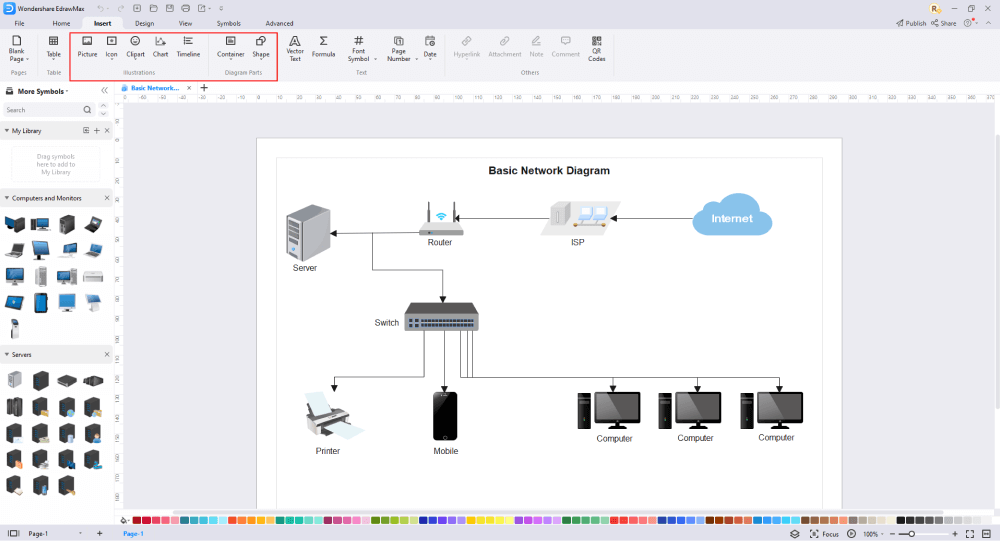
Step6 Finalizing the Drawing
Once your network diagram is ready, you can collaborate with your team to consider their opinion using the Cloud-base files. EdrawMax allows up to 100M free cloud storage. It supports files in several formats, including HTML, PDF, Graphics, Visio, Microsoft Office, etc. It is not a complicated process to create a network diagram in EdrawMax. You can take a template and continue customizing it to suit whatever design you want. EdrawMax has several templates with fantastic designs for a network diagram for your organization.

Basically, it is simple to create a network diagram in EdrawMax, just grab a template and keep customizing, drag and drop professinal symbols to make your plan better. If you are still confusing about how to make a network diagram in EdrawMax, just check this Network Diagram Guide, or check the video below. Or you can find more tutorial videos from our Youtube.
6. Network Diagram Examples
EdrawMax offers you network diagram examples and templates. Just click the image to download EdrawMax, and download the templates accordingly. Then double click to open the templates and customize as your prefer. Or open the templates from EdrawMax Online , and duplicate the templates.
Example 1: AWS Network Diagram
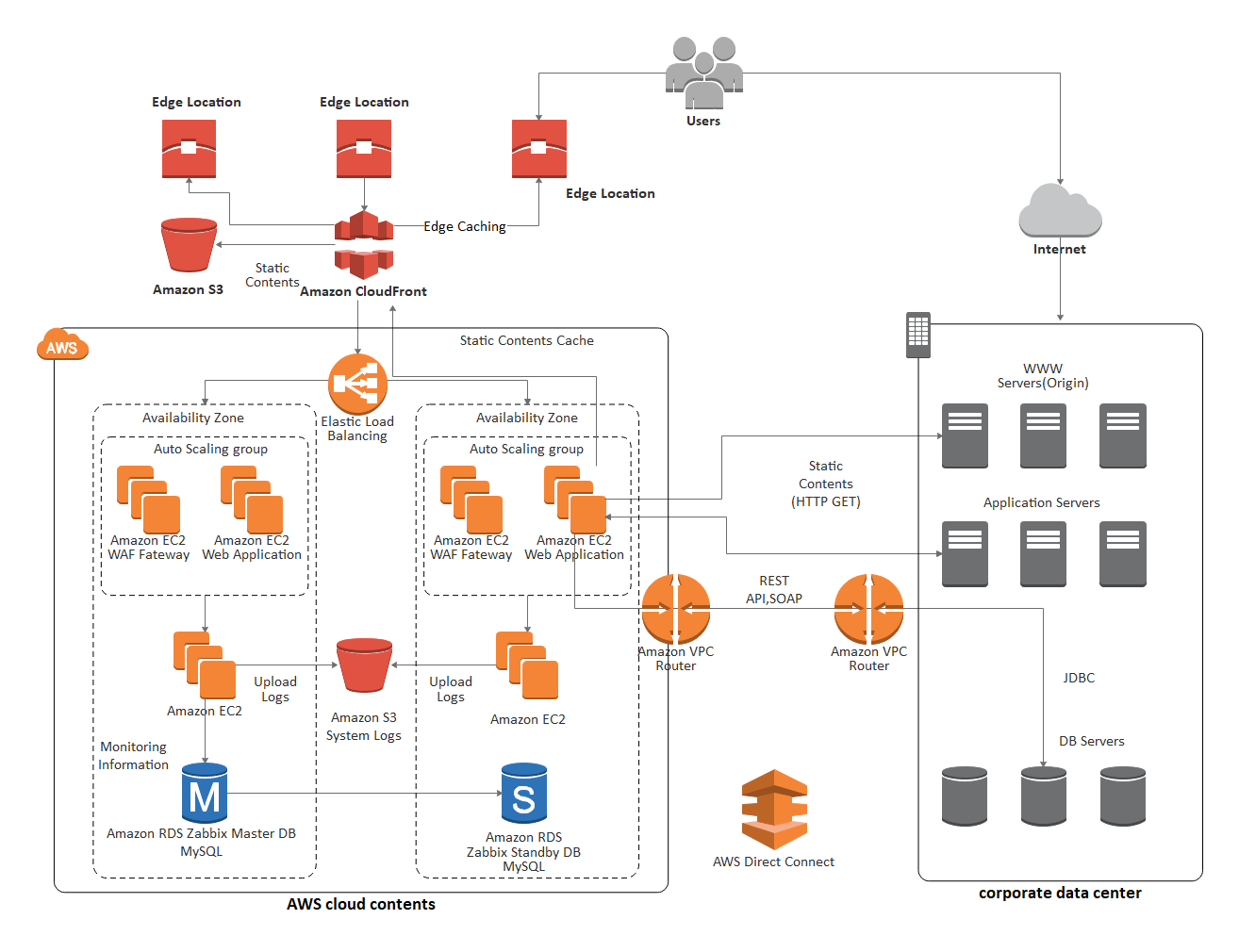
Use this AWS diagram to visualize the way your network is constructed, and how each device interacts with each other. An AWS diagram like this is useful for conceptualizing the architecture of a system, and can be used for troubleshooting purposes, future network improvements, and general network maintenance.


Example 2: Azure Diagram Example
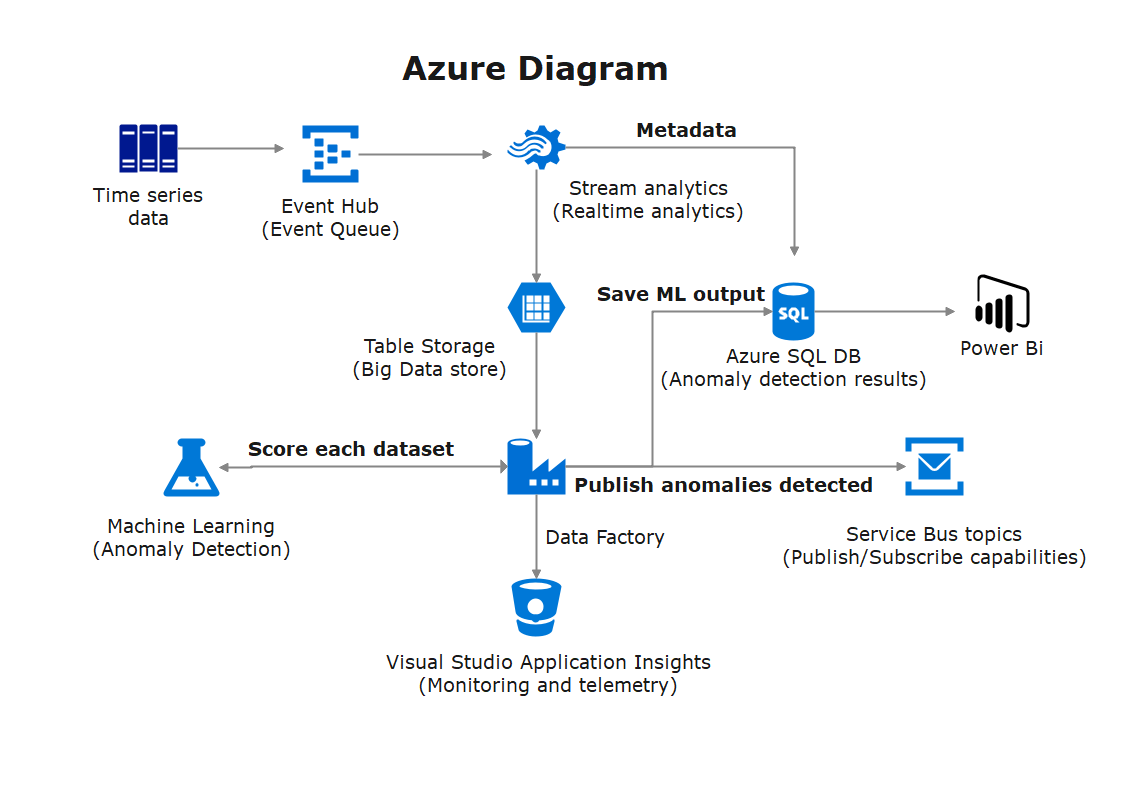
This Azure architecture diagram illustrates what happens when a corporate network is given access to the Linux Virtual Desktops. First, an ExpressRoute is established between Azure and the on-premises environment to enable swift and secure cloud connectivity.
Example 3: Cisco Network Example
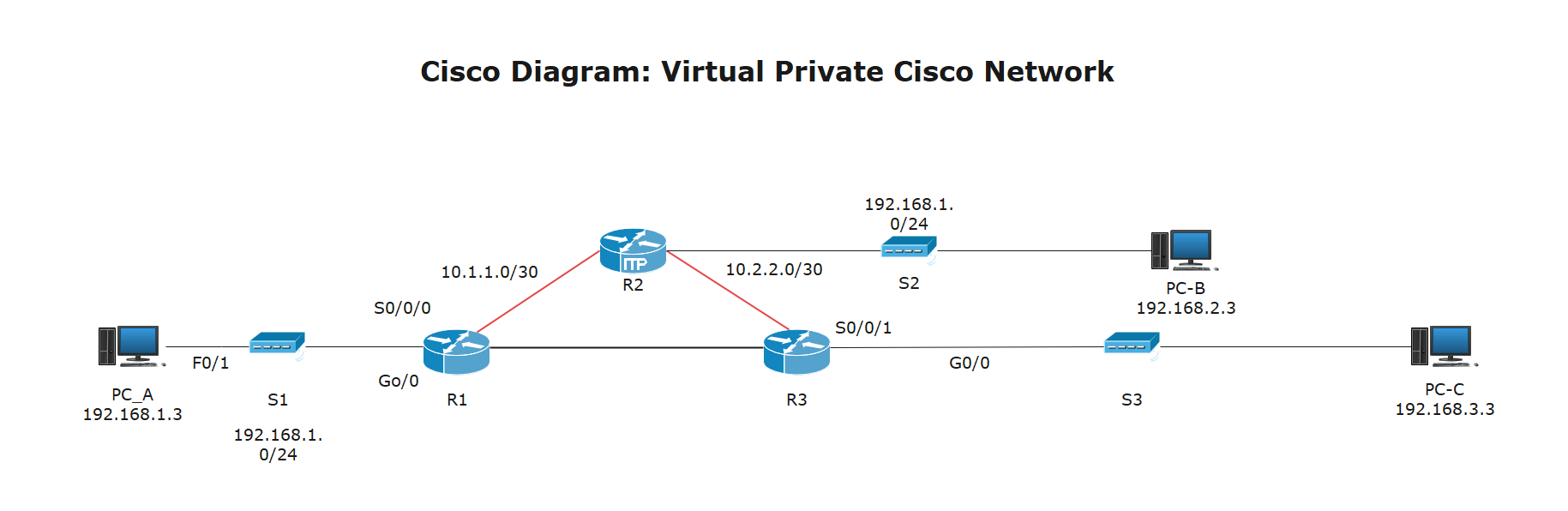
This Cisco Network diagram is used to illustrate how a Virtual Private Network (VPN) functions. A site-to-site VPN is supported by two routers for incoming traffic into their own LANs. Any VPN traffic will pass through the third router.
Example 4: Logcial Network Example
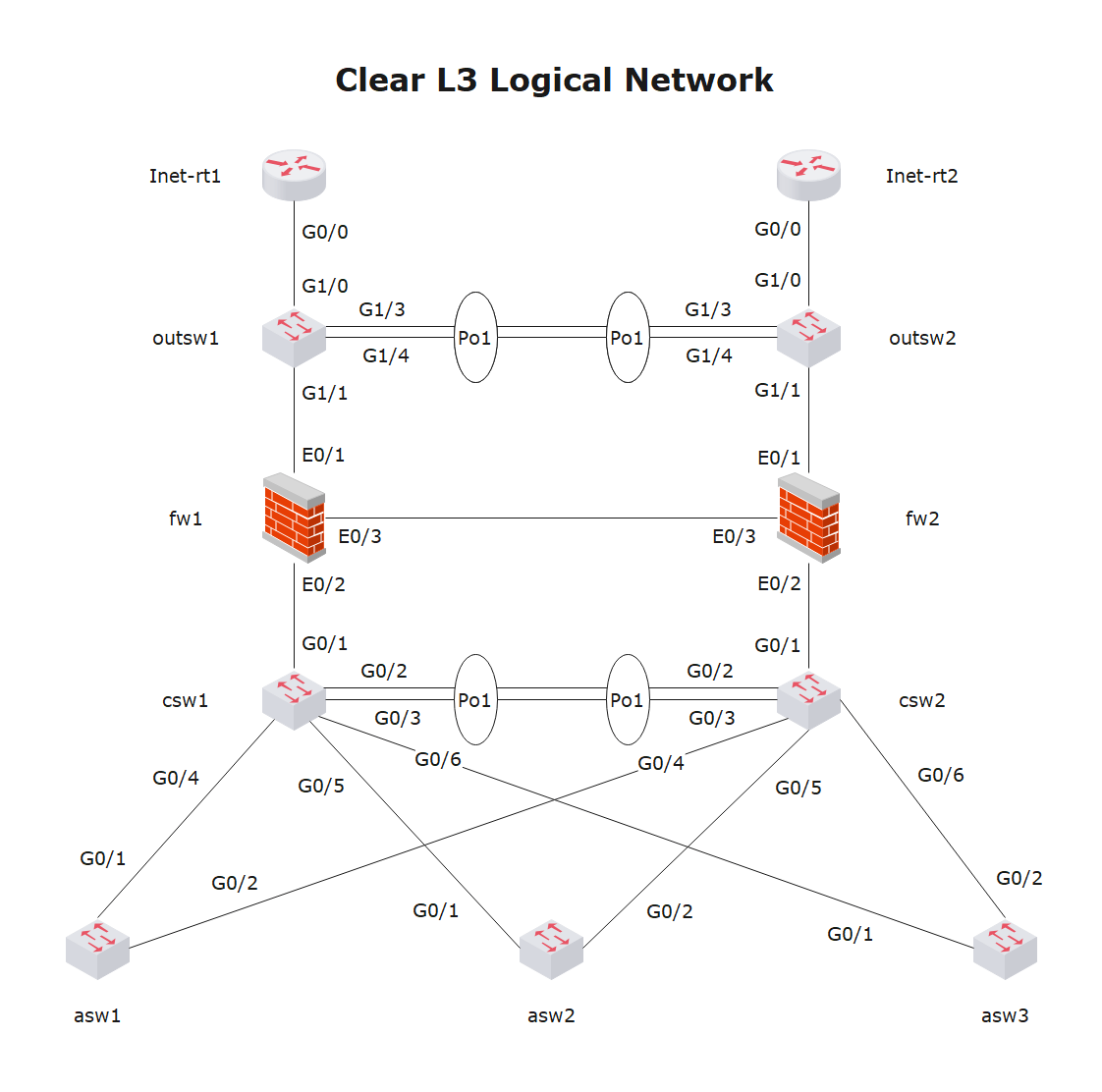
This logical network diagram illustrates a simple network layout. The network includes components including Cisco switches, Juniper Netscreen firewalls, and an L2 network diagram along with configurations for most of its devices.
Example 5: Rack Diagram Example
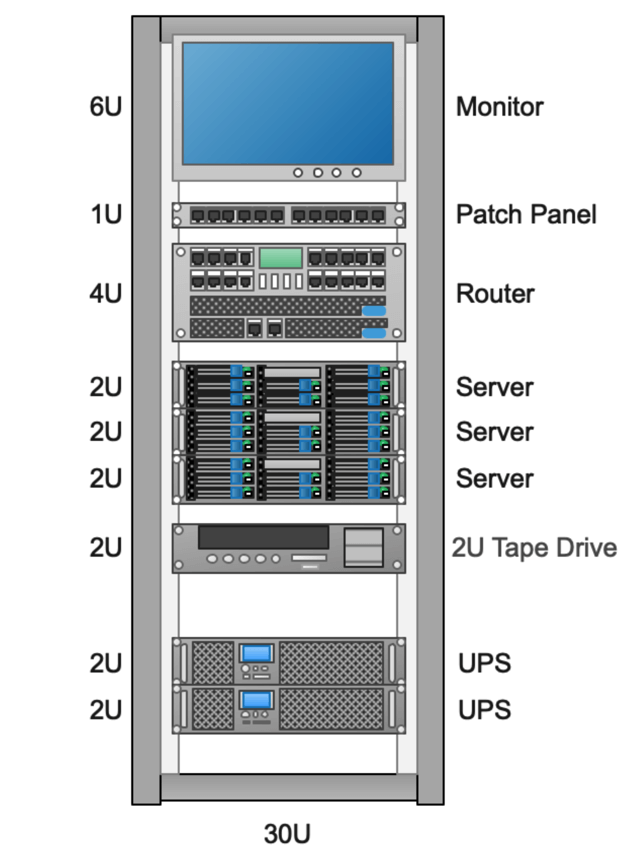
Here are three examples of how an 18U rack setup might look like. Each rack has sections of different sizes; devices can fit into each of these rack sections. By accurately illustrating the rack setup, IT professionals can use this diagram to identify potential network issues quickly.
Example 6: LDAP Network Example
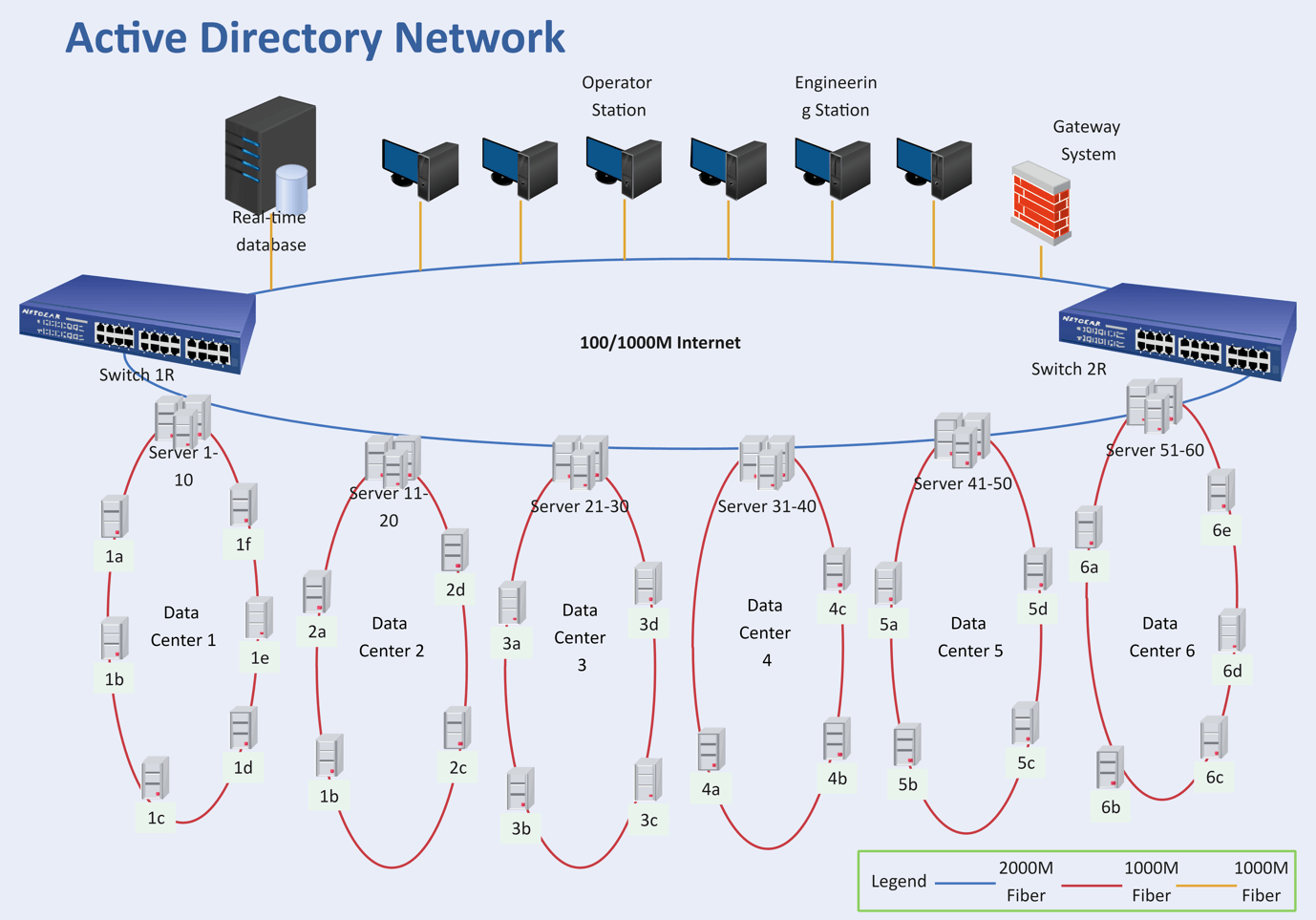
The LDAP template can save many hours in creating great LDAP by using built-in symbols right next to the canvas. You can download and modify this template for your own use.
Example 7: Network Topology Example
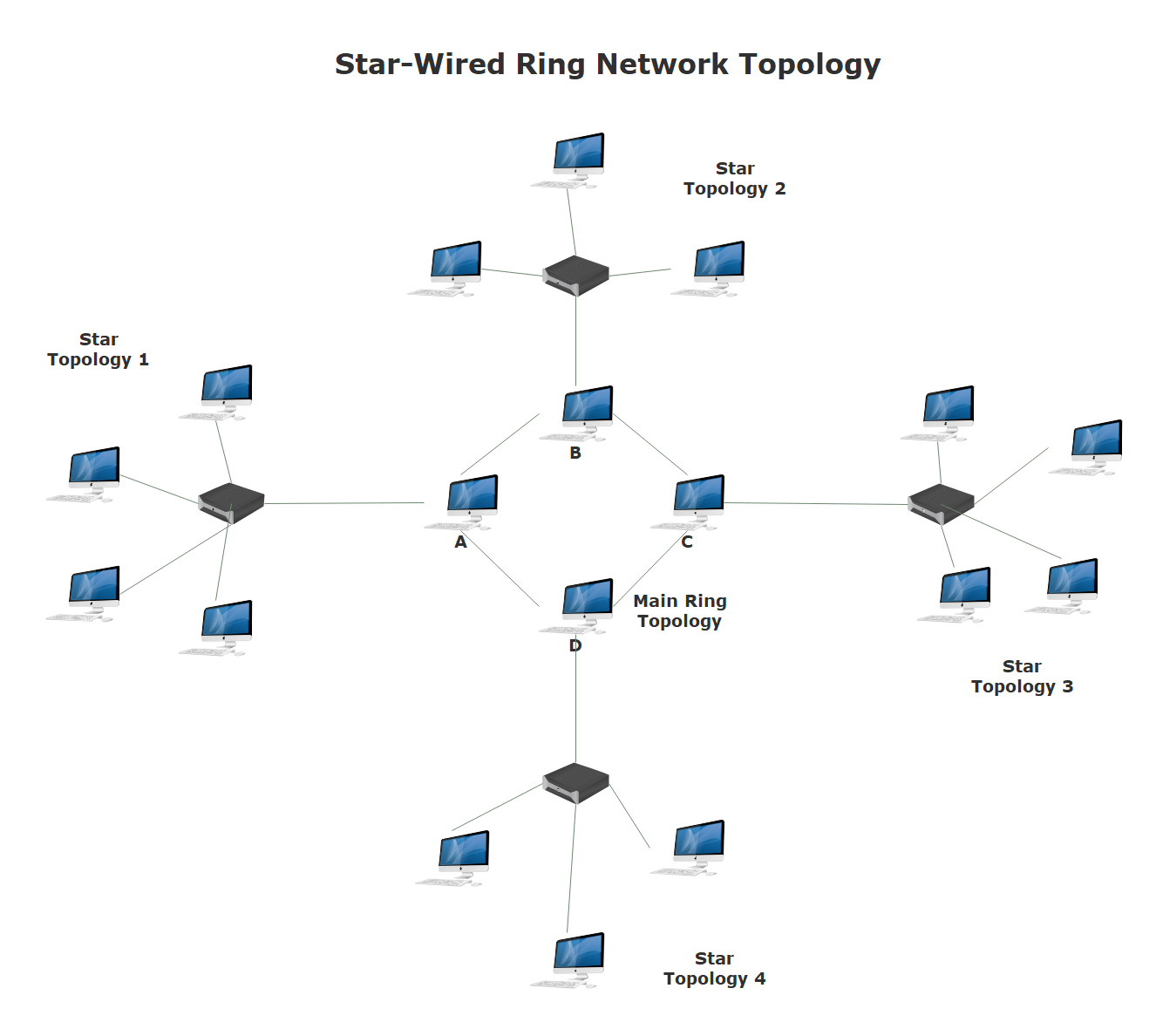
In this example, the network is illustrated using a star-wired ring topology. Each set of star topologies are connected to a central ring topology by a wired connection. For example, in Star Topology 1, a central switch connects all of the individual nodes. When the central switch is turned on, it connects to other star topologies through node A in the main ring topology.
7. Free Network Diagram Software
One of the most powerful programs that can compete with Microsoft Visio, EdrawMax is yet another diagramming software available for Windows, macOS, and Linux. The tool has several categories for almost all types of industries, and each category further has numerous network diagram templates to choose from, thus saving you a lot of time that you would otherwise waste in structuring a diagram, network diagram for this example, from scratch. EdrawMax is a powerful but easy-to-use network diagram software that makes it easy to create network diagrams based on pre-formatted network diagram templates and examples - with no drawing required. The smart network diagrams are designed with auto generation, allowing users to add and connect shapes easily.
The Features of EdrawMax:
- Easy to Use: To create a network diagram with less time, EdrawMax realizes it is important to simplify the process through pre-made shapes and automatic floating buttons. Therefore, you can save time to work efficiently and everything in EdrawMax network diagram maker is simple, smart and intuitive.
- Abundant Network Diagram Symbols & Templates: Using standard and polished network diagram symbols will help produce accurate and presentation-quality network diagrams. EdrawMax includes thousands of symbols for network diagram design which are divided into 30 separated libraries. You can load any library as you please and close those you don't need. EdrawMax also offers you tools to personalize the symbols or create custom symbols on your own.
- Editable Exported Files: EdrawMax network diagram software is easy and powerful. It is not only capable of exporting the created files to the most common formats. Moreover, those files are editable and sharable. Unlike other network diagram creators only exporting uneditable files, EdrawMax network diagram software makes itself stand out.
- Network Diagram Maker on All Platform: EdrawMax is a great Network Diagram Software. It's used as a powerful, fast and easy-to-use network diagram drawing program, which lets you layout your home network, cisco network, wan network, AWS network and other network graphic visualizations with premade high quality symbols. It's really cheap yet with premium quality. Many users have embraced it as the ultimate network diagram desktop program for Mac, Windows, Linux and Online.
 EdrawMax DesktopEdrawMax Online
8. Final Thoughts
According to this article, there are mainly four parts to illustrate what is the network diagram, to tell you the symbols of network diagram, and to show you how easy and helpful EdrawMax network diagram tool is, then shows some network diagram templates and examples. Creating a perfect network diagram with EdrawMax is an effective way to design.
EdrawMax is an easiest all-in-one diagramming tool, you can create network diagrams and any other type diagrams with ease! With substantial network diagram symbols and cliparts, making network diagrams could be as simple as possible. Also, it supports to export your work in multiple formats and share your work with others. Get started to create your network diagrams now!
Network Diagram Complete Guide
Check this complete guide to know everything about the network diagram, like network diagram types, network diagram symbols, and how to make a network diagram.
You May Also Like
Neural Network Diagram Complete Guide
Knowledge
Cisco Network Diagram Complete Guide
Knowledge
Active Directory Complete Guide
Knowledge
Fire Escape Plan Complete Guide
Knowledge
Building Plan Complete Guide
Knowledge
Evacuation Plan Complete Guide
Knowledge



