How to Create an Organizational Chart in Word

If your workplace looks chaotic and unorganized, then you are definitely in need of an organizational chart. While everyone is already familiar with their roles and duties, an organizational chart is a visual representation of that. It ensures that employees are focused on their role and each employee is doing whatever they are assigned.
People working in large organizations are very aware about the importance of an organizational chart, that is why they find it quite useful to add these charts to their reports and documents.
There are multiple ways through which you can create an organizational chart in MS Word.
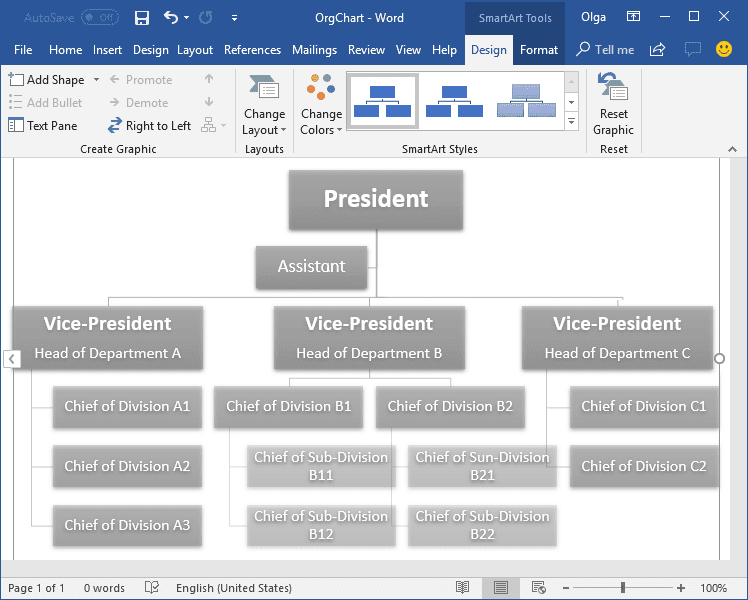
How to Make an Org Chart in Word
Often, we use a chart to convey what we are saying more effectively. Diagrams and charts are perfect for doing that. You can easily create organizational charts in Word using SmartArt.
Here is how you can create an org chart in Word:
- Open Microsoft Word and click on the Blank page to start a new document. If you want to add the chart to an existing document, open that document.
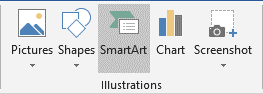
- Go to the Insert tab and go to the Illustrations group and click on SmartArt.
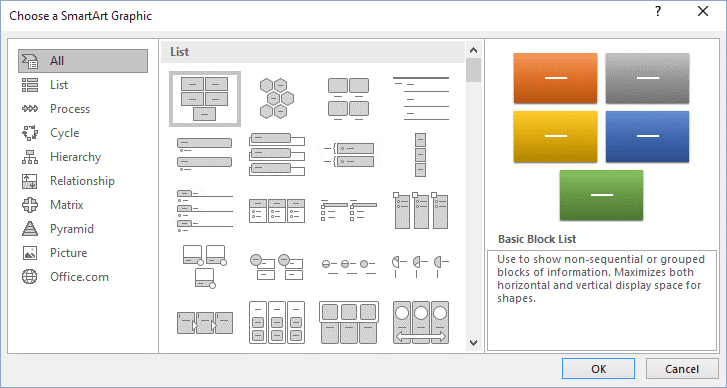
- The “Choose a SmartArt Gallery” will open. From there, select Hierarchy from the left pane. Then click on the type of chart layout you want, for example, Organizational Chart. Click OK.
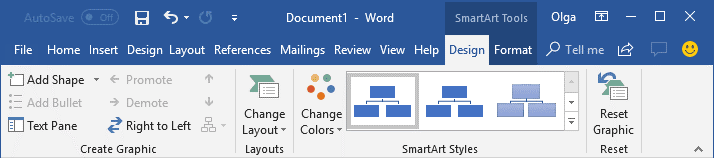
- Once you have inserted the organizational chart, Word will open the Design and Format tabs. You can change the color, style, and layout of your chart from the Design tab, and you can change the shape, style, and size from the Format tab.
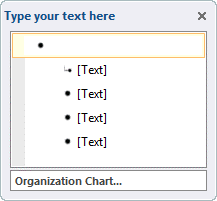
- The next step is adding text. You can add text by simply clicking inside the shape, or you can go to the Text pane and click on [Text]. If you want to add text from another source, simply copy it and paste it into the text pane.
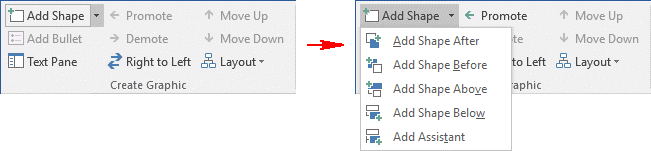
- If you want to add another shape to your chart, go to the Design tab in SmartArt Tools, go to the Create Graphic group, and select Add Shape.
-
Now here’s a tricky bit. Most of the time, while inserting shapes, it doesn’t insert at the right place. Here’s how you can do that easily:
- If you want to add a shape to the same level, but after the shape, you have selected, then choose Add Shape After.
- If you want to add a shape before it on the same level, select Add Shape Before.
- In case you want to add a shape one level above or below, select Add Shape Above and Add Shape Below, respectively. For Add Shape Above, the new shape takes the place of the selected shape, and all the shapes at the level of the selected shape are demoted.
- For Add Shape Below, the new shape is inserted on the level below after the other shapes.
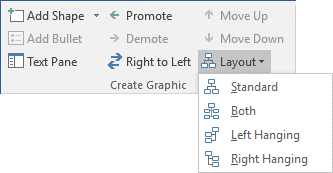
- You can also change the layout of your chart using SmartArt tools. Simply go to the Design tab in the Create Graphic group, select Layout. You will be given four options: Standard, Both, Left Hanging, and Right Hanging. You can choose one of these from the drop-down menu.
And you’re done! You can format your chart however you want and change styles to make it look appealing.

An all-in-one platform for 210+ diagrams.
・ Simple alternative to Visio
・ 26k+ symbols
・ 10K+ free templates
・ 10+ AI diagram generators


How to Make an Org Chart in EdrawMax
Step 1: Open EdrawMax
Download and install EdrawMax on your PC or use EdrawMax Online instead. Select one of the ready-made org chart templates in EdrawMax and open it in the workspace.

Step 2: Customize the Org Chart Template
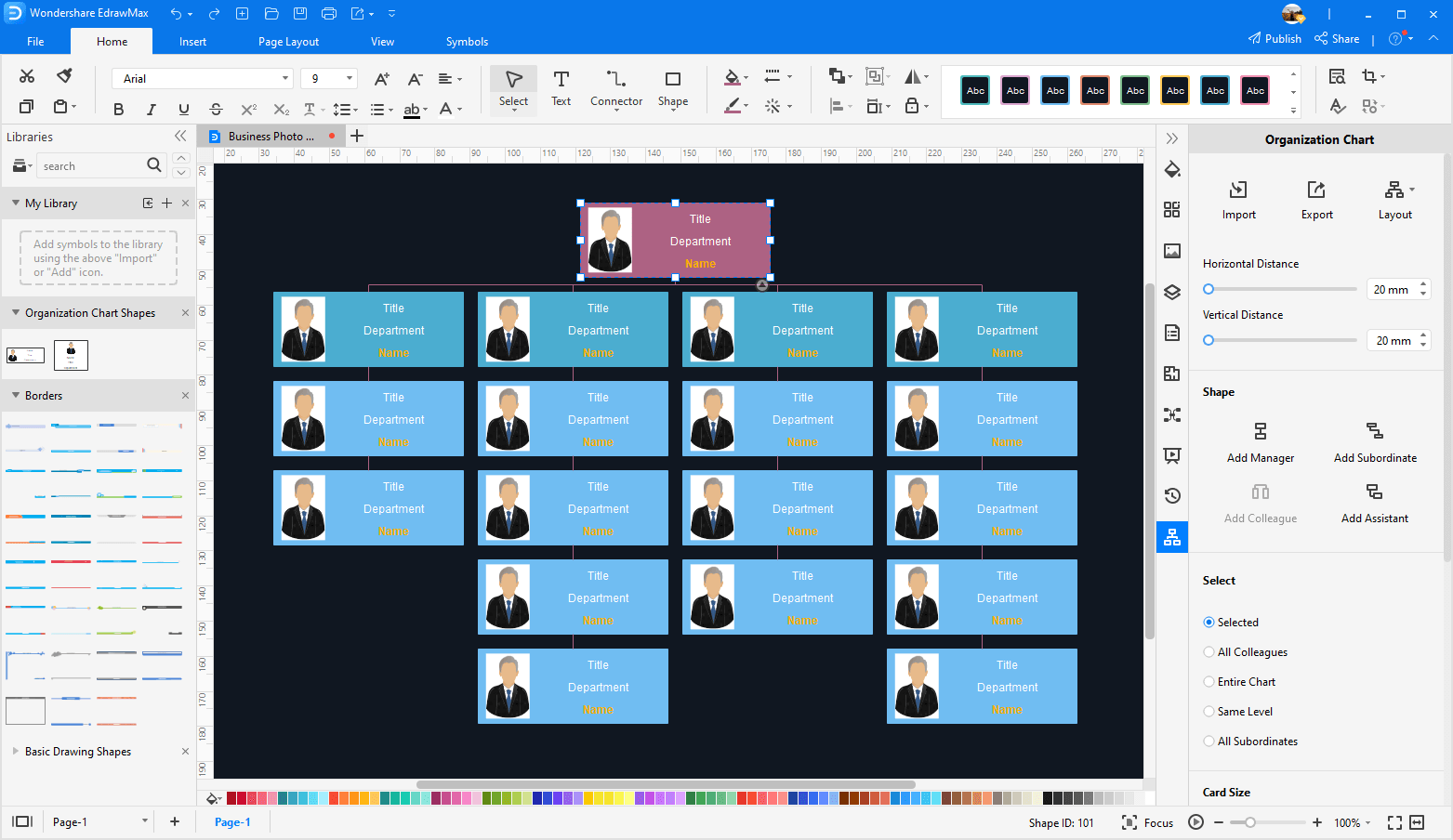
You can add photos, change the colors and fill in the staff information in the org chart template. On the panel of Organizational Chart, You can import the data, change the org chart layout, and resize the card in the org chart.
Step 3: Save the Org Chart
Save the org chart in your computer or in the personal cloud (sign in required). In addition, you can save it as your personal template and share with your colleagues.
Step 4: Create an Organizational Chart Template for PowerPoint
Navigate to [File] > [Export & Send] and choose "Export to Word". The org chart will be downloaded as an editable Word file! Here you can get an organizational chart template for Word.
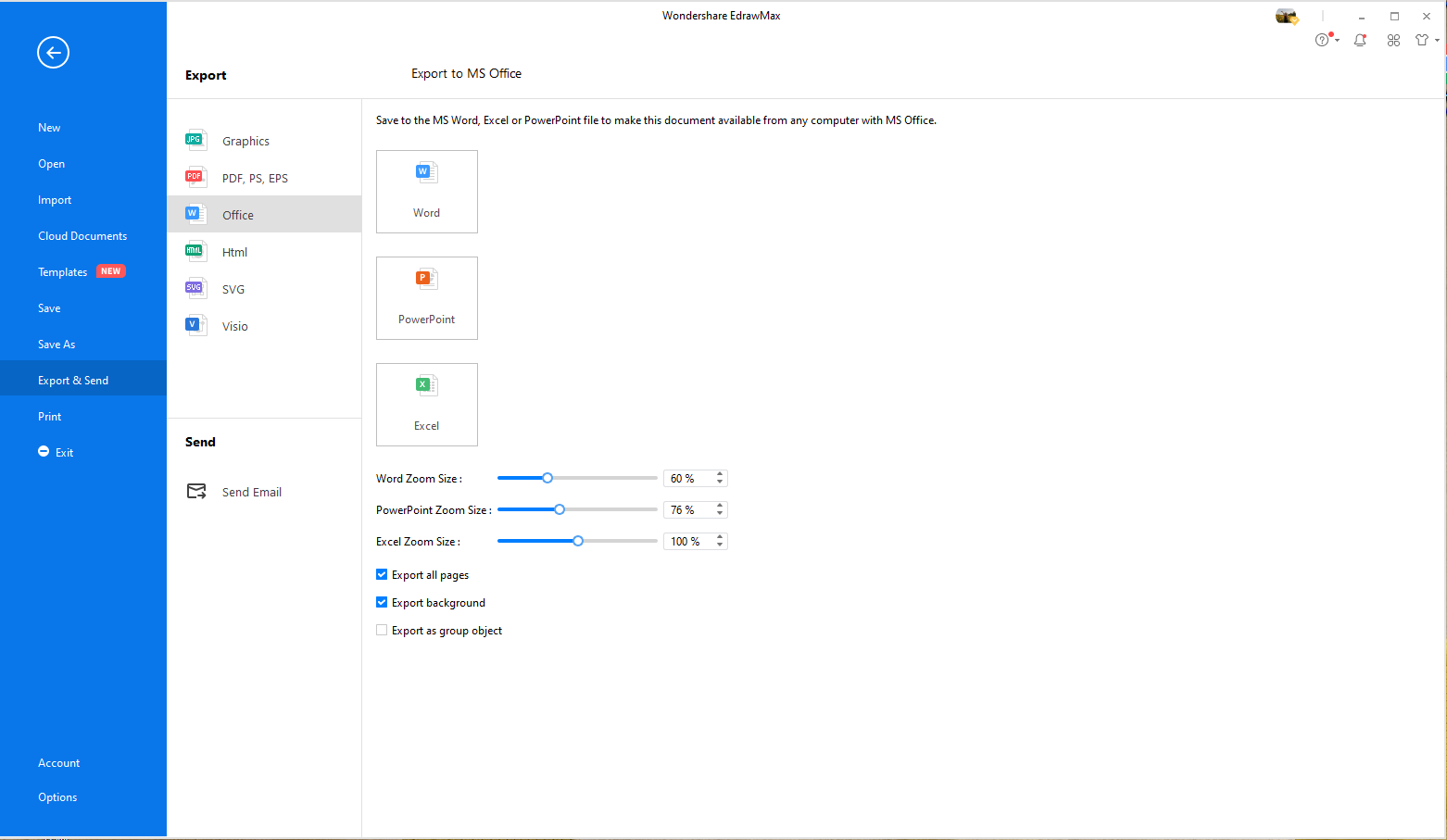
Free Organizational Chart Templates for Word
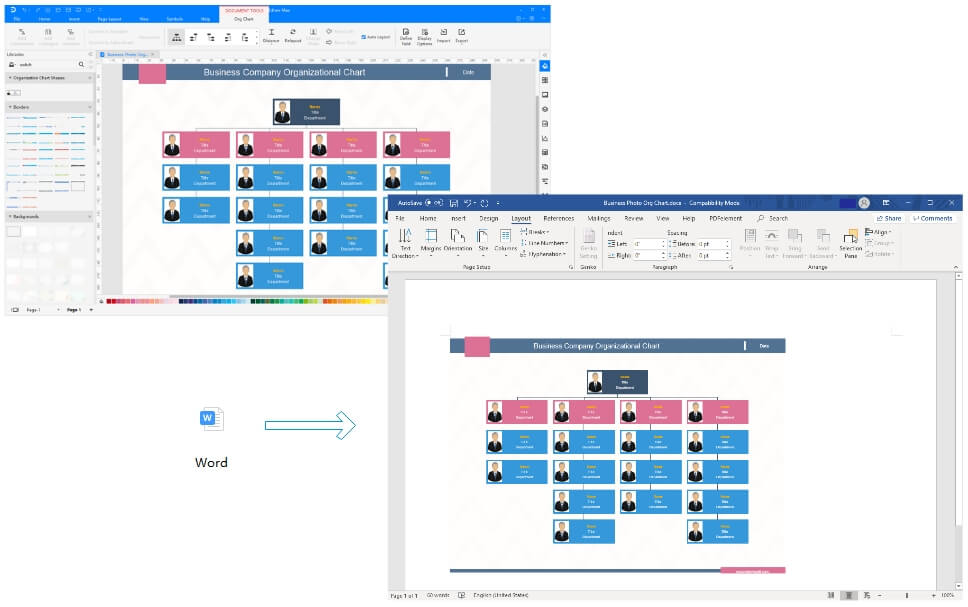
The exported organizational chart shapes are vector-level in the MS Word. The symbols are completely vector in nature, you can customized it as per your requirements in MS Word.
Example of Company Organizational Chart in Word
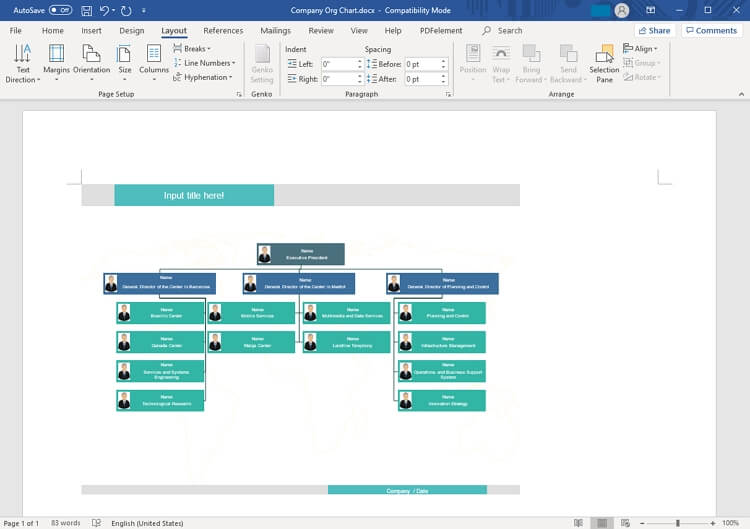
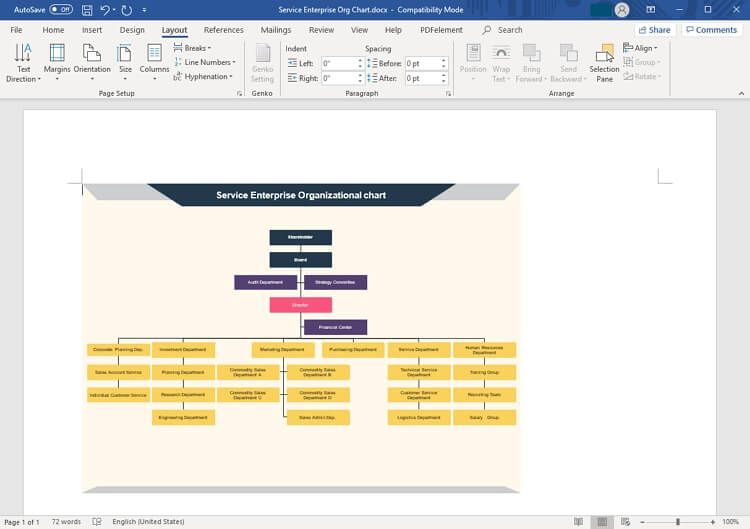
Example of Enterprise Organizational Chart in Word
Use EdrawMax for Organizational Chart Creation
Diagramming is an essential tool to convey your messages or sum-up discussions. Organizational charts are very useful to explain each employee their duties and their line of reporting. However, a poorly made organizational chart is less likely to do its job well. That is why you need the right diagramming tools for creating such charts.
While using SmartArt may be the go-to way for MS Word users, EdrawMax is a much better tool for diagramming. The options with SmartArt are limited with only a few templates and design options. EdrawMax is much easier to use and is an effective tool for both beginners and experts. Its interface is quite similar to Word, which makes it really easy for anyone to use it without trying to learn how to navigate it.
The symbol library is limitless, with symbols specific to every kind of chart. You don’t need to limit your creativity with EdrawMax. Upon all that, EdrawMax gives you access to thousands of professional templates that can be altered easily to fulfill your needs. With such a wide array of tools at your disposal, you can easily create much better charts in half the time.

More Related
Create Organizational Chart in PowerPoint




