

Relationship Matrix

Introduction to Relationship Matrix
A relationship matrix diagram is commonly used to analyze relationships with clients, suppliers, service providers, stakeholders and staff.
Automatic Relationship Matrix Software
Edraw Max, as the most popular business diagram software, provides some free relationship matrix templates which have more flexibility than Excel worksheets.
System Requirements
Works on Windows 7, 8, 10, XP, Vista and Citrix
Works on 32 and 64 bit Windows
Works on Mac OS X 10.2 or later
Tagged on: Matrix Template
Create Relationship Matrix Easily
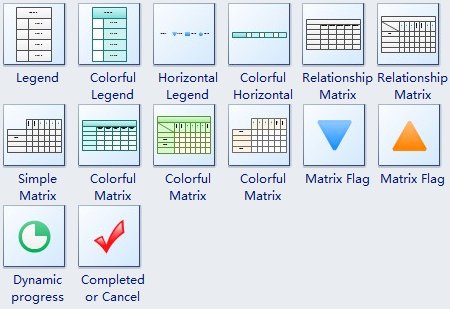
To create a blank relationship matrix, the designer can drag the standard relationship matrix templates into the canvas.
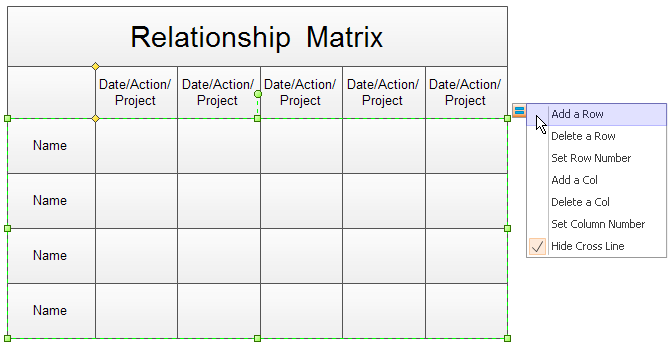
As the above image shows, the designer can select the matrix and click the action button to modify the relationship matrix.
The matrix operation is very simple like traditional excel program. The designer can select the cell to edit text, change font, set background, scale the cell size, add a new row or column.
In the context menu, there are more options available such as merging and splitting cells.
Mark Your Relationship Matrix
The best advantage about Edraw Max is its flexibility. Designers can drag new marker symbols into the relationship matrix. The gluing is automatic.
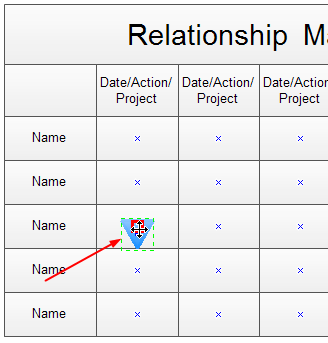
The marker symbols can be changed by the action button.
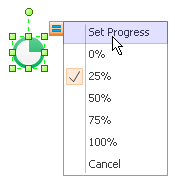
With our relationship matrix software, designers can create a new relationship matrix from the blank template. Then add marker symbols in the cells. Designers can export the relationship matrix in any graphics format, printed with full WYSIWYG support, and even share with others as PDF, SVG, HTML, PPT, DOC files.
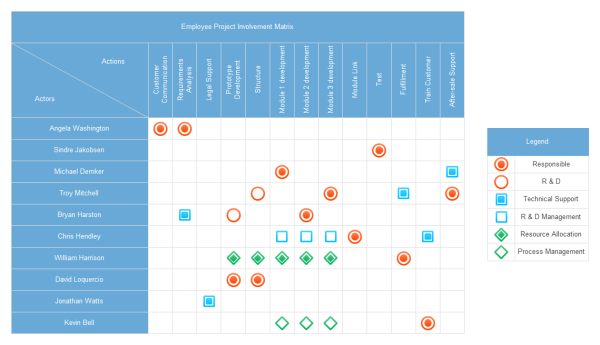
Relationship Matrix Example
Here is an elaborately designed and well-formatted relationship matrix example for free download and usage. Click the picture to download both editable and PDF versions.
Click here to free download Edraw Max Software
More Drawing Types
Matrix Structure Diagram Advantages, Disadvantages & Examples


