Company Organizational Chart

In this article, you will get everything about company organizational charts. Its meaning, why we need it, the benefits, how to make it, and some templates. So, let's know without any chitchat.
What is a Company Organizational Chart?
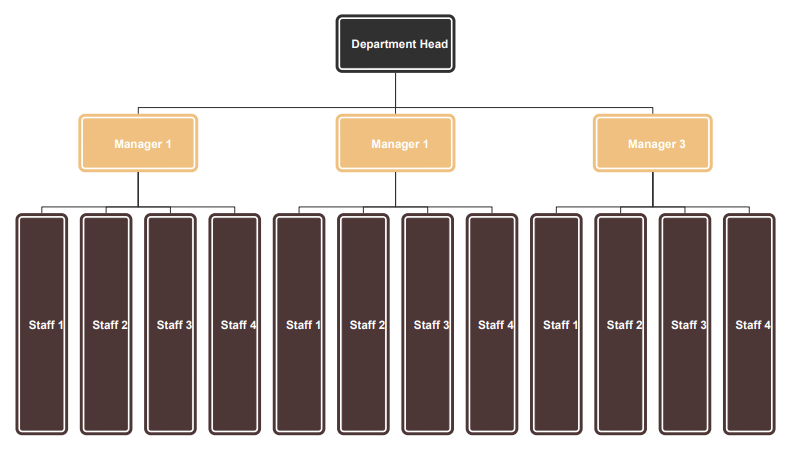
A company organizational chart is the pictorial representation of the company's internal structure in a top-down order or a different one. The chart shows you how the departments at your company are modeled, making a blueprint of your company.
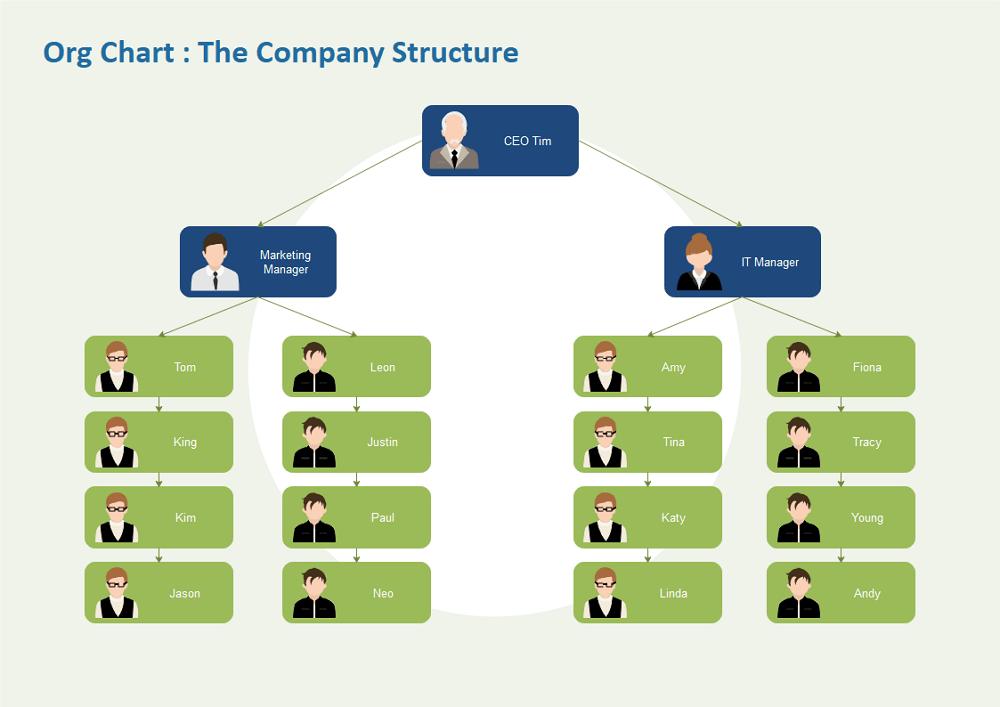
The company organizational chart depicts the hierarchy of different departments, employees, etc., at your company. It shows who works under whom, who communicates or reports to whom, the roles and responsibilities of the entities at the company. Typically, it is always in the hierarchical form. For example, the head management works under the C-Suite, so that this chart will show you this data in the hierarchical form. These charts will help you in a lot of ways that we will discuss later in this article.
Benefits of Using Company Organizational Charts
To understand your company's internal structure, you should have an organizational chart that will make you understand who is under whom and the departments and their relation at your company. The benefits of using this chart are.
- The departments at your company will easily collaborate and communicate over a project quickly with the help of this project.
- You will get to know about the responsibility with respect to the title of every employee at your company, and you can modify it easily.
- The chart will show you the relationship between different departments, how they're derived from one another, and their roles.
- You can quickly deploy, modify the team and their duties by seeing the organizational chart.
Why Use Company Organizational Charts?
Many companies use the company organizational charts to improve the internal structure using it. The company organizational chart is important because it gives you the basic idea or guides for whom you need to report. The organizational charts show you the departments at your company and how they communicate, and how they cross-work for a task.
You can easily see how the teams are deployed and under whom they are working. You can make decisions on those teams and employees using the organizational chart. You can see whose work is more critical. You can easily design the operational control using this chart. The chart allows you to see those employees who will be needed during the disaster, making you make a good disaster recovery plan. You can also do drills by seeing this chart of behaving during the risk and communicating during sensitive times.
What are the Different Types of Company Structures?
A company never follows the same internal architecture. Their company structure varies with the size and departments. This section will tell you about the four different internal structures in the company.
Functional top-down
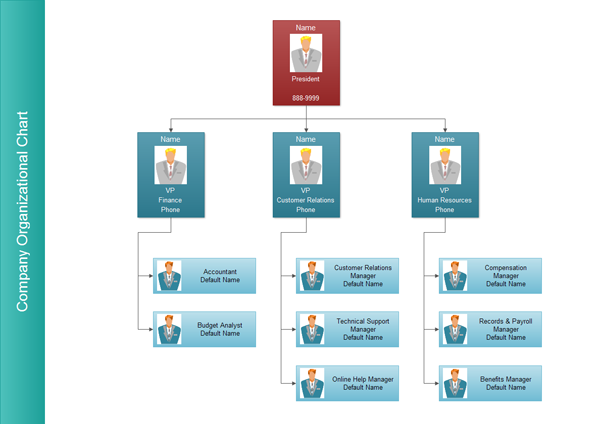
The functional top-down chart shows you the hierarchical structure of different departments at your company. Like, the finance department, IT department, human resource, supply chain, etc.
This chart is typically used in every company. It tells you how the company works in a top-down manner. For example, it will hierarchically tell you that the major department is the C-Suite, and then every department works under it.
Divisional
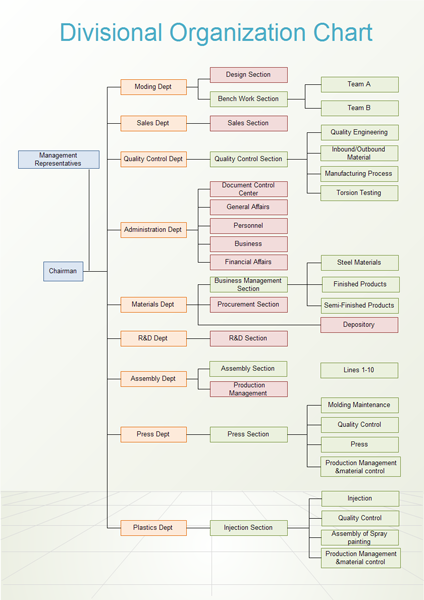
The divisional chart is usually used by those organizations that are huge in geography. The companies that contain multiple departments make this chart to model the departments at the company to track to whom they communicate, how they work, etc.
For example, Amazon has different departments like software development, assembly line, Amazon Prime, etc. These departments have their human recourse, marketing, etc., so they need a divisional chart to track everything.
Matrix
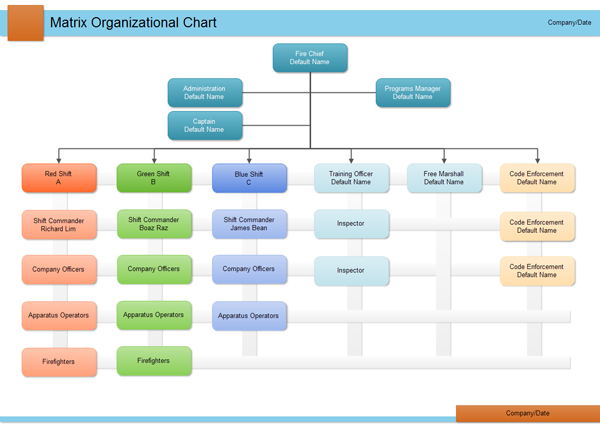
In every company, teams are working on a particular project or task. The matrix organizational chart shows how these teams are divided for a product and what product or project manager they are communicating to.
The chart shows you how these teams are inter-communicating and cross-functioning. It simply shows the collaboration of teams in the company.
Horizontal/Flat
The horizontal or flat organizational charts are used by those companies that are very small and have no departments. These companies have no management, and every person is self-managing, so it is also not depicted on the chart. The startups usually use these charts.
An all-in-one platform for 210+ diagrams.
・ Simple alternative to Visio
・ 26k+ symbols
・ 10K+ free templates
・ 10+ AI diagram generators


How to Make a Company Organizational Chart?
It is a general process to make a company organizational chart.
- The very first thing is to know your company, how big it is? Does it contain any hierarchy of departments, is it divisional, or is it more matrixed or flat? This information is necessary because you will select which type of organizational chart you have to go for after this.
- Get the information about every employee, team, department in your company and then measure them according to their importance broadness.
- Now, you have to display all this information on the organizational chart, use different templates to get an idea of how you will do it.
- Publish this chart across the whole company or department and make the employees communicate and report according to the chart.
4 Steps to Create a Company Organizational Chart
The company organizational chart is an excellent way to illustrate the organizational structure of a company. Apart from free org chart templates, a powerful and easy-to-use organizational chart software like EdrawMax can also be of great help for users to create a professional organizational chart.
Here we will tell you how to create a simple company organizational chart in 4 steps.
Step 1: Download and open EdrawMax or Visit EdrawMax Online .
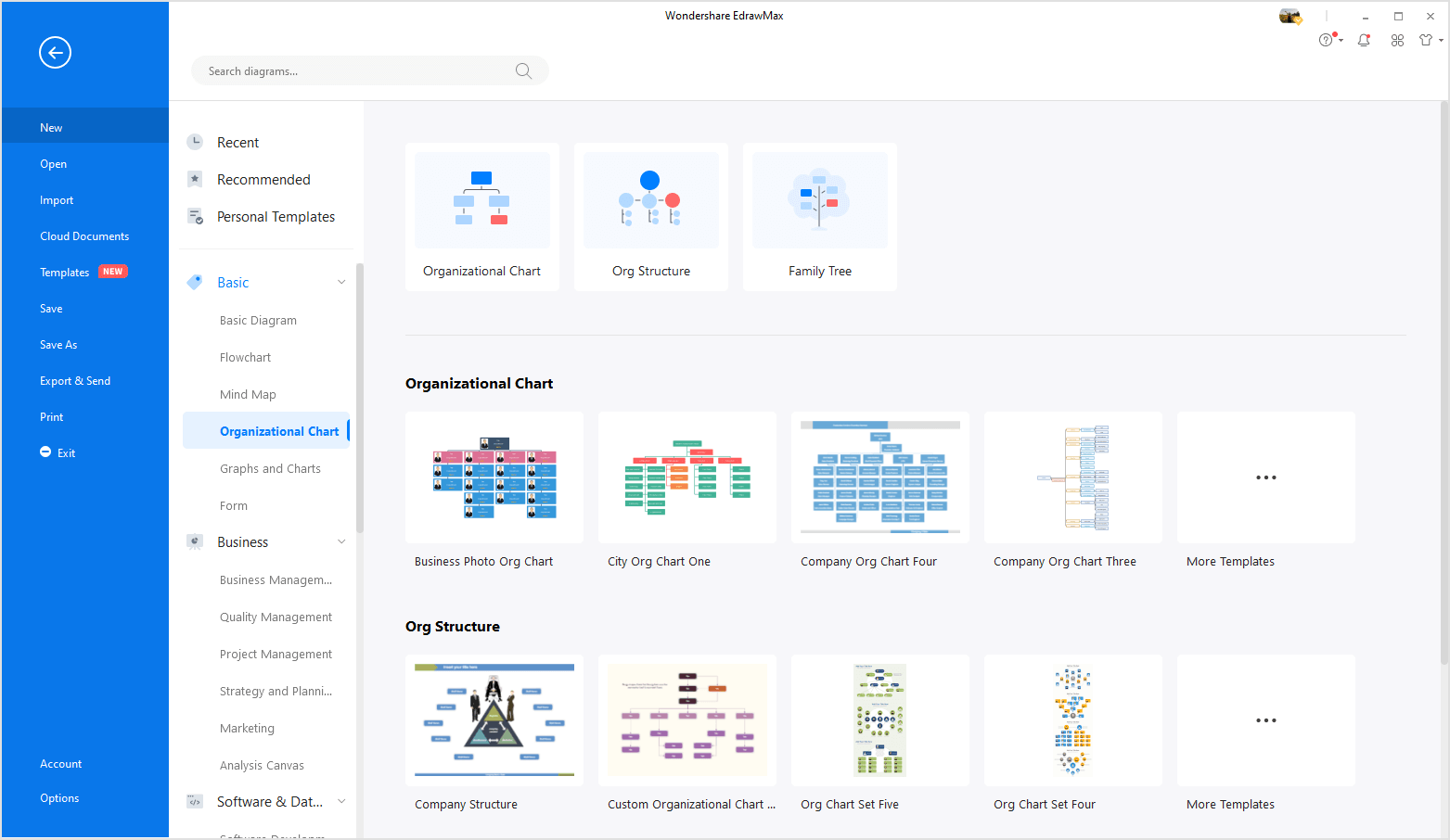
Step 2: Select one of organizaitonal chart templates from the pre-made templates in EdrawMax.
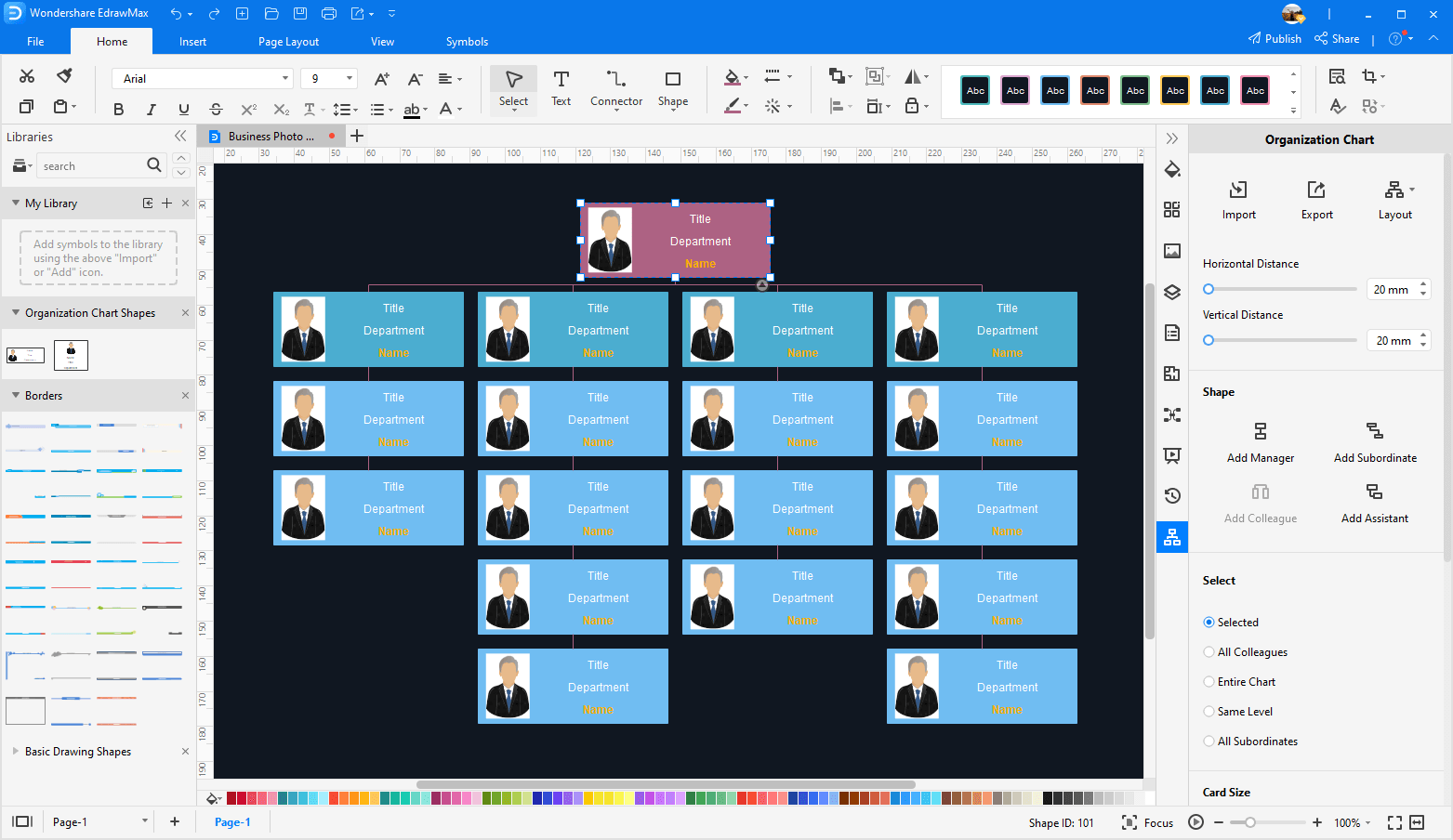
Step 3: Customize the org chart template and add more employees information on the chart. You can also insert the photos of the staff into the cards.
Step 4: The simple company organizational chart is done! Now you can save and export it as a Word, Excel, PDF, PowerPoint, Visio, JPG, PNG, HTML file.
Company Organizational Chart Templates
Here, our concepts become more apparent when we see the pictorial representation of the organizational charts of different companies.
Amazon organizational structure
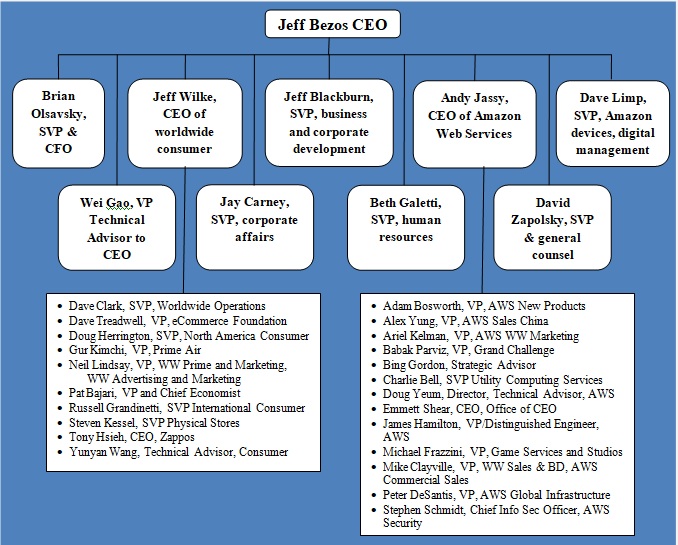
Image Source: research-methodology.net/
As we all know Amazon is a giant in the market so, its structure is more hierarchical. Jeff Bazos is the firm's major CEO, and then C-Suites and human resources of different Amazon departments are mentioned. The chart is both hierarchical and divisional.
Apple organizational structure
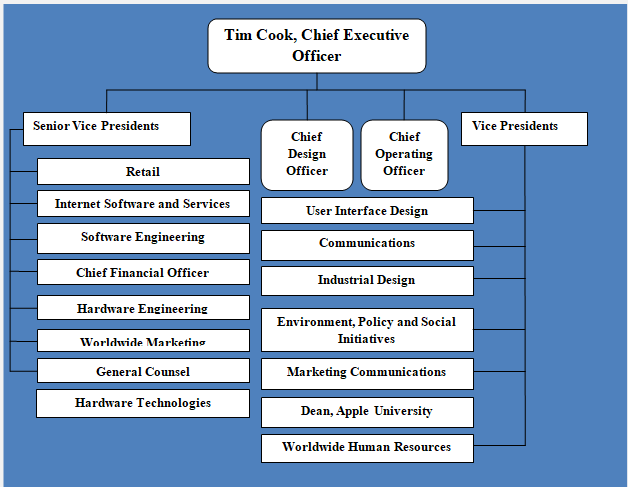
Image Source: research-methodology.net/
Apple, the most prominent mobile device producer's organizational chart, is more hierarchical. We can also see that there are more product-based divisions, so it is also a divisional chart. The chart is more matrixed, too, as the interaction and cross-functioning of different departments can also be seen.
Google organizational structure
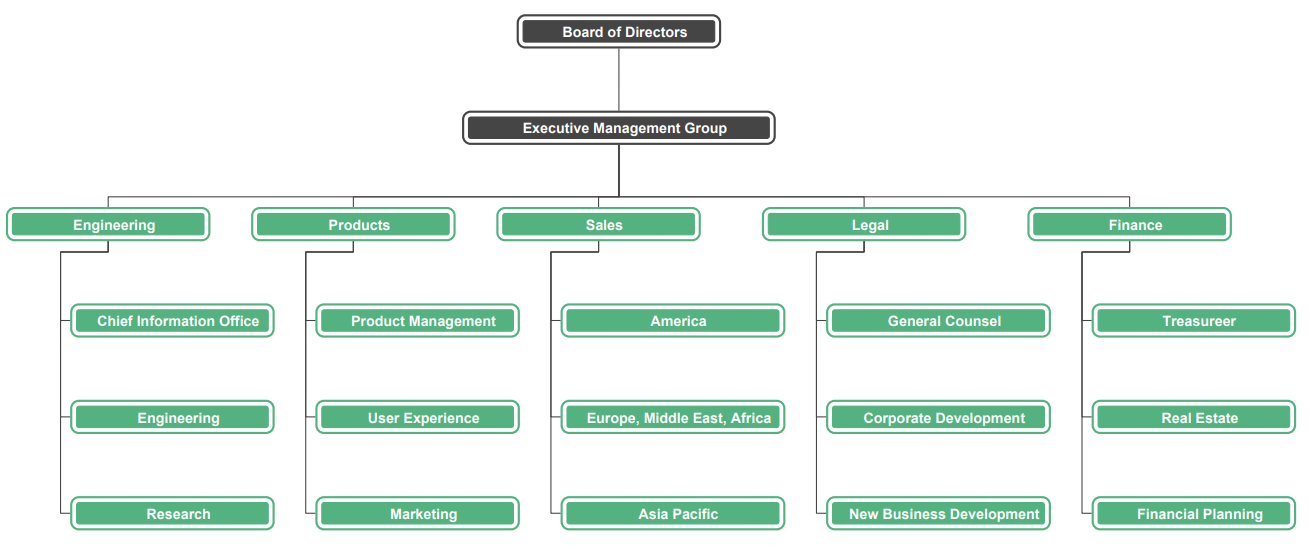
The tech giant Google has the more matrixed structure as its many departments are cross functioning. The slight flatness can also be seen in the organization. The flatness shows the company's growth and its major competitors.
Starbucks organizational structure
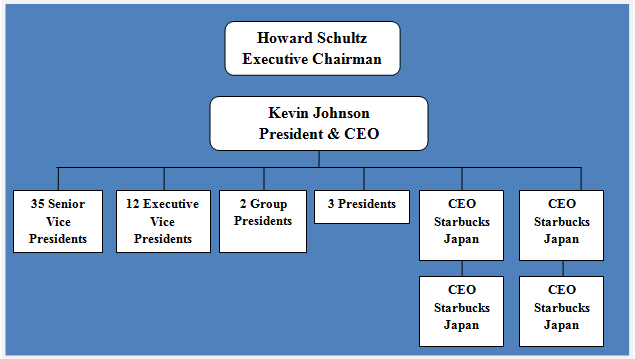
Image Source: research-methodology.net
The Starbucks company has a hybrid organizational model. The company contains a hierarchy-like structure. There are more divisional models as multiple departments are working. Product-based divisions can also be seen, and the structure is matrixed too.
Nike organizational structure
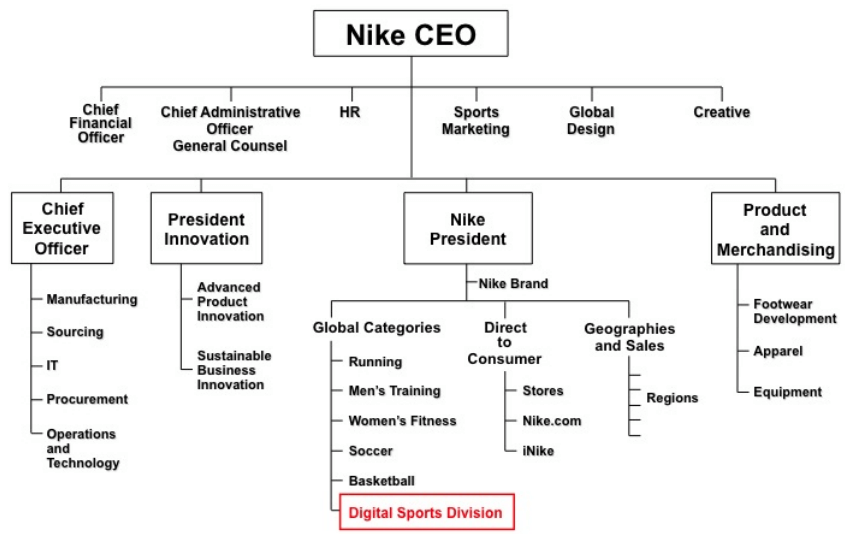
Image Source: ceo.usc.edu
Nike is a global business; hence it has departments all around the globe. Almost every country in the world has a functioning Nike department. So, the organizational structure is more divisional because of its vast geography.
Use EdrawMax for Organizational Chart Creation
The company organizational chart is essential because the C-Suite and other administration departments can never perform the organizational tasks without the chart. The employees get the knowledge of who's their boss, and who's his boss's boss. The higher management gets the above overview of which department needs more staff and who needs to be promoted and a transfer.
For this professional purpose, you should use the best-recommended software - EdrawMax . EdrawMax is both a desktop-based and web-based application that makes a diagram of any topic efficiently.
You can use their hundreds of templates or import your own to boost your production. The software contains thousands of diagram symbols and dozens of tools and features that will suffice you in diagram-making. The software has both free and premium versions.

More About Organizational Chart




