SWOT Diagram Software - Draw SWOT Diagram Easily

SWOT Diagram
SWOT is an acronym for Strengths, Weaknesses, Opportunities and Threats.
SWOT Diagram Software
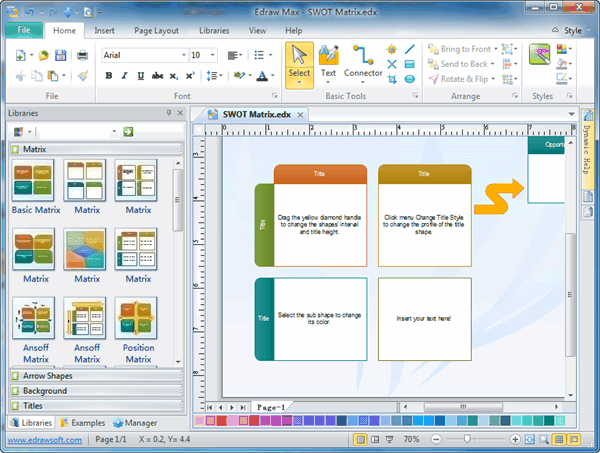
Edraw Max is a quick and easy business diagram software for creating great-looking diagrams. It is easy to create SWOT diagrams, SWOT analysis diagram, Matrix, List, process and business charts with pre-drawn libraries and more than 5000 vector symbols so drawing couldn't be easier!
Free Download Diagram Software and View All Examples
SWOT Analysis Template
The SWOT analysis template is normally presented by a grid, comprising four sections, one for each of the SWOT headings: Strengths, Weaknesses, Opportunities and Threats. The free SWOT template below includes sample questions whose answers are inserted into the relevant section of the SWOT grid. The questions are examples, or discussion points, and obviously can be altered depending on the subject of the SWOT analysis. Note that many of the SWOT questions are also talking points for other headings - use them as you find most helpful, and make up your own to suit the issue being analyzed. It is important to clearly identify the subject of a SWOT analysis, because a SWOT analysis is a perspective of one thing, be it a company, a product, a proposition, and idea, a method, or option, etc.
Draw SWOT diagram easily
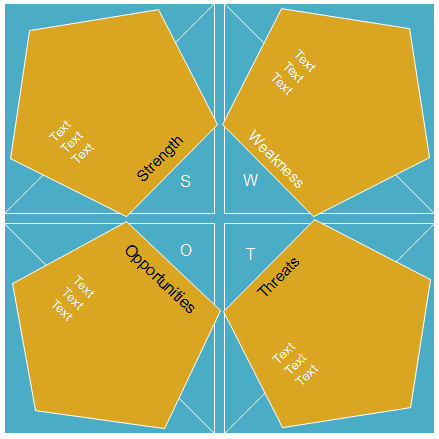
The following SWOT matrix diagram is a pre-defined symbol in the Charts and Graphic library.
Free Download SWOT Diagram Software and View All Examples
SWOT Analysis Example
A start-up small consultancy business might draw up the following SWOT matrix:
strengths
- Advantages of proposition?
- Capabilities?
- Competitive advantages?
- Marketing - reach, distribution, awareness?
- Innovative aspects?
- Location and geographical?
- Price, value, quality?
- Accreditation, qualifications, certifications?
- USP's (unique selling points)?
- Resources, Assets, People?
- Experience, knowledge, data?
- Financial reserves, likely returns?
- Processes, systems, IT, communications?
- Cultural, attitudinal, behavioral?
- Management cover, succession?
weaknesses
- Disadvantages of proposition?
- Gaps in capabilities?
- Lack of competitive strength?
- Reputation, presence and reach?
- Financials?
- Own known vulnerabilities?
- Timescales, deadlines and pressures?
- Reliability of data, plan predictability?
- Morale, commitment, leadership?
- Accreditation, etc?
- Cashflow, start-up cash-drain?
- Continuity, supply chain robustness?
- Effects on core activities, distraction?
- Processes and systems, etc?
- Management cover, succession?
opportunities
- Market developments?
- Competitors' vulnerabilities?
- New USP's?
- Tactics - surprise, major contracts, etc?
- Business and product development?
- Information and research?
- Partnerships, agencies, distribution?
- Industry or lifestyle trends?
- Technology development and innovation?
- Global influences?
- New markets, vertical, horizontal?
- Niche target markets?
- Geographical, export, import?
- Volumes, production, economies?
- Seasonal, weather, fashion influences?
threats
- Political effects?
- Legislative effects?
- Obstacles faced?
- Insurmountable weaknesses?
- Environmental effects?
- IT developments?
- Competitor intentions - various?
- Loss of key staff?
- Sustainable financial backing?
- Market demand?
- New technologies, services, ideas?
- Vital contracts and partners?
- Sustaining internal capabilities?
- Economy - home, abroad?
- Seasonality, weather effects?
SWOT Examples
An example SWOT diagram, showing the strengths, weakness, opportunities and threats.
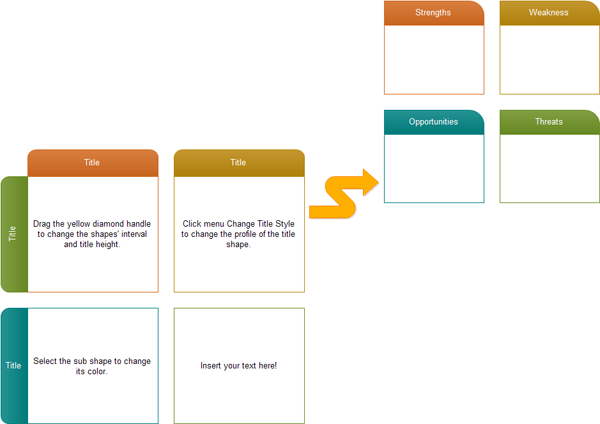
The SWOT template illustrates how ideas for Strengths, Weaknesses, Opportunities and Threats can be captured. It also shows how strategies to address these ideas can be added.
Conclusion
SWOT Analysis is a simple but powerful framework for analyzing your company's Strengths and Weaknesses, and the Opportunities and Threats you face. This helps you to focus on your strengths, minimize threats, and take the greatest possible advantage of opportunities available to you.




