Mind Map Maker

EdrawMind - The all-platform Mind Map Maker gives you amazing ways to create great-looking mind maps for brainstorming, problem-solving, rational analysis, and decision marking. Learn more features about EdrawMind and enjoy the product tour with us.

Part 1: What is a Mind Map
A mind map is a graphical representation of ideas or topics in a radial, non-linear manner. Mind maps are used to visualize, organize, and classify ideas, making them perfect for study aids, organizing information, problem solving, writing and making decisions. It is also a great >creativity boosting tool. From your daily schedule to your life purpose, mind map can be a great helper for you.
Part 2: Free Mind Map Software
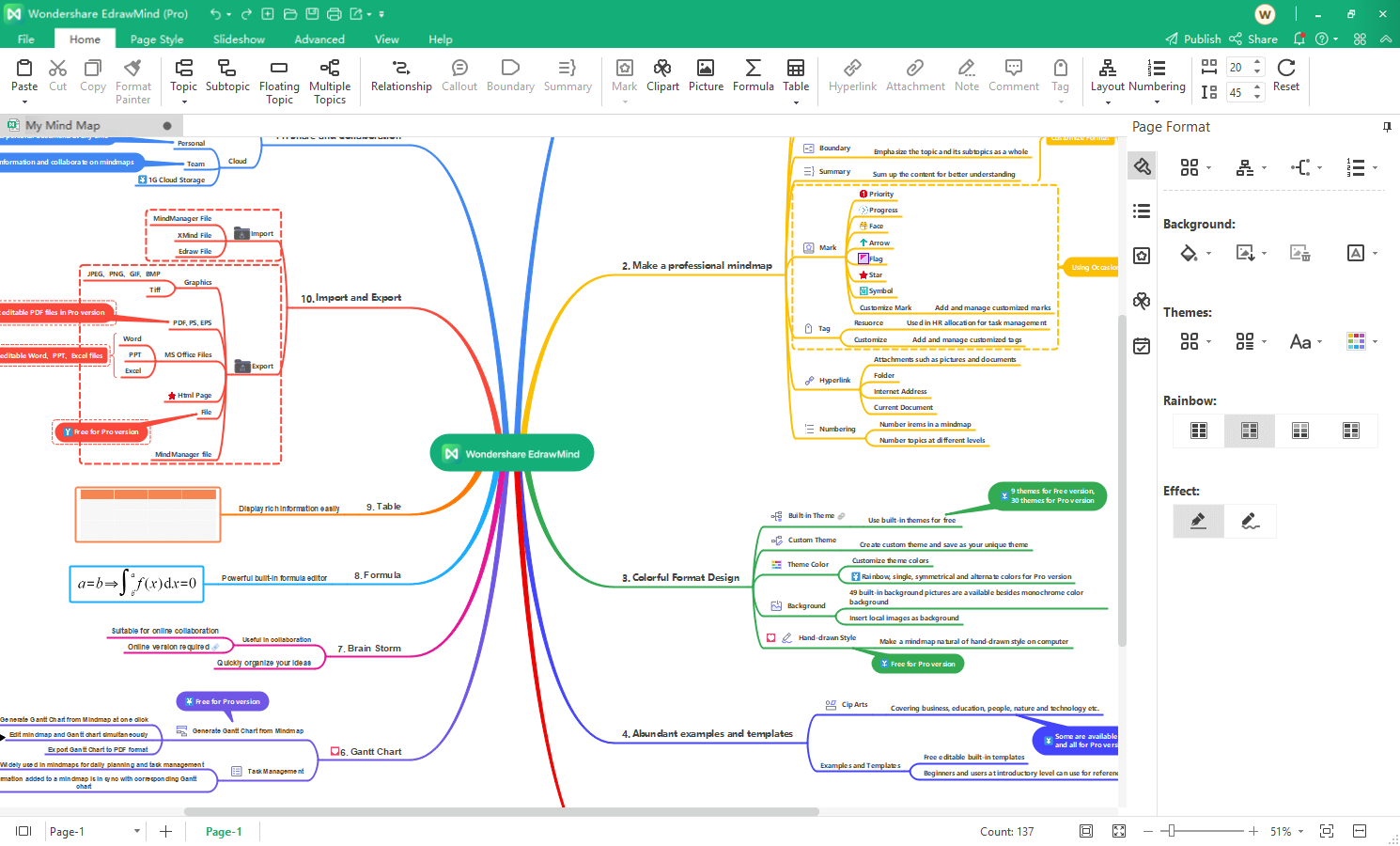
EdrawMind is a free mind map maker with inbuilt templates and examples which are very easy to use. You can easily conceptualize your visualization on computer and organize your work by using this maker. It comes with various embedded features like smart drawing guide which makes mind mapping quite simple.
Let this 2-minute tutorial show you how this esay-to-use mind mapping tool can help you.
-
Besides its usability, here are the other essential features it has:
- supporting big size and multiple page mind maps
- inbuilt themes, effects, styles and so on
- automatic alignment
- compatibility with nearly every common file format
- easy to share
Simple yet powerful AI mind map maker.
・ Mindmap, Kanban, PPT, and Outline modes
・ Intuitive and neat interface
・ 10,000+ free templates
・ AI Mind Map, AI PPT, File Analysis


Part 3: System Requirements
Works on Windows 7, 8, 10, XP, Vista and Citrix
Works on 32 and 64 bit Windows
Works on Mac OS X 10.11 or later
Compatible with Linux distributions such as Debian, Ubuntu, Fedora, etc
Android & iOS
Part 4: Reasons to Use Edraw Mind Map Software
1. Specialized Design
Designed specifically and professionally to use the Mind Mapping technique for business purposes bringing clarity and focus to all daily tasks and activities.
2. Ease Presentation
The map explorer, the most commonly used function, enables users to navigate maps and move quickly between high level and detailed views of information.
3. Ease of Use
The most intuitive product without learning curve with the quickest and easiest mind mapping way.
4. Wide Range of Uses
From business to education, taking you from ideas to action in a more visual, productive and effective way.
5. Boost Productivity
Organize ideas and information in visual mind maps that help you see relations and draw conclusions quickly.
6. Ensure Project Success
Get visibility into every aspect of your projects. Show the big picture and view the details in context. Integrated Gantt view provides a unique and cost effective project management way for full time project managers and people who manage tasks and projects.
7. Enhance Communication
Use mind maps to organize and present in a visual format that improves understanding and retention.
Part 5: Ready-Made Clip Art in Mind Map Maker
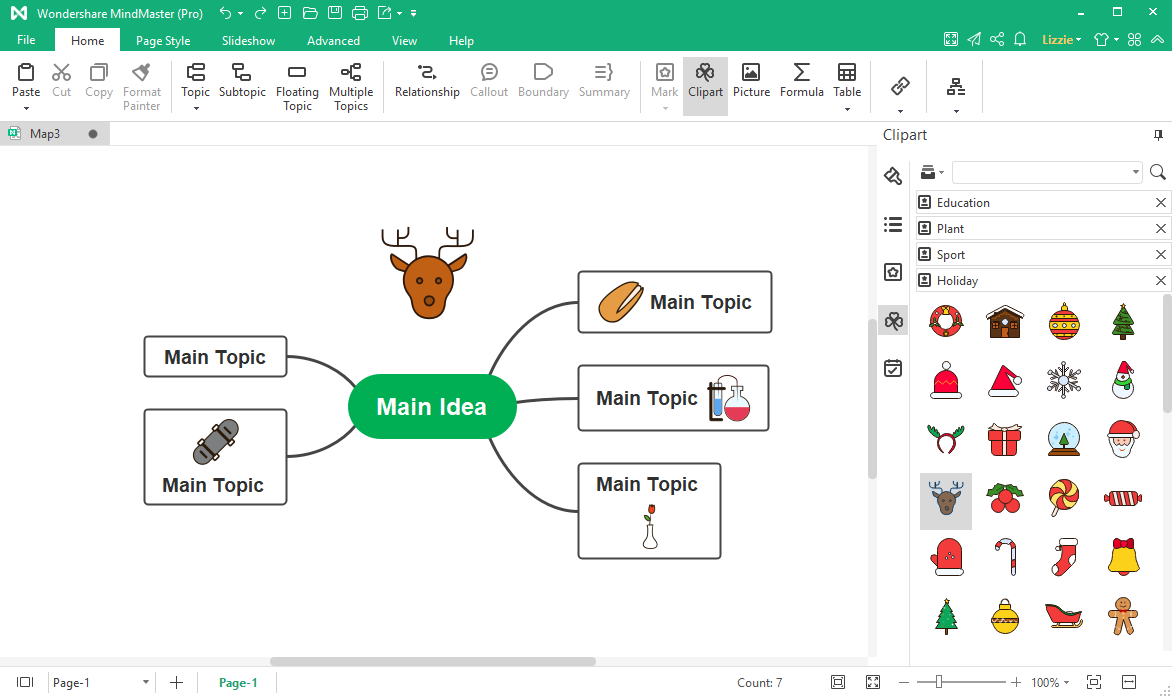
EdrawMind offers 13 kinds of clipart, and you can use them to decorate your mind maps. You can insert clipart into different parts of a topic or add it on the blank area of the page. The ready-made clipart is very useful when it comes to visual representations and presentations for kids.
Part 6: Examples in Mind Mapping Maker
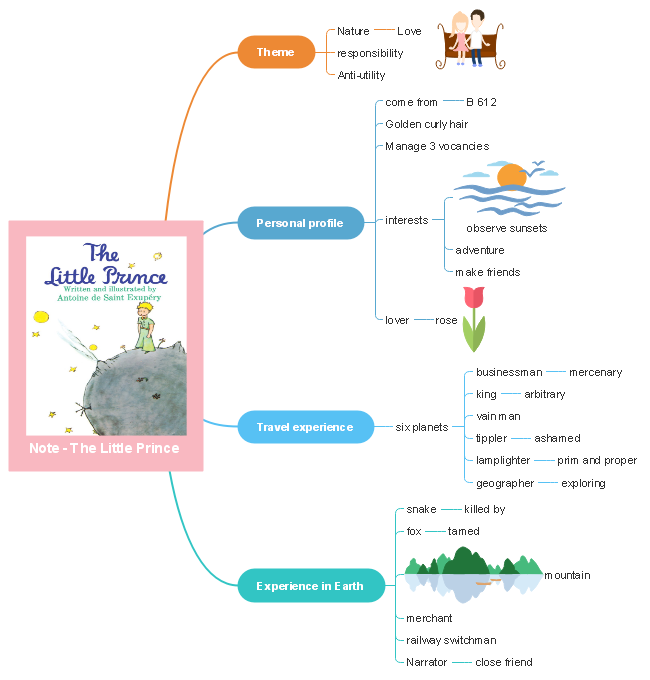
Through our mind mapping maker, you can visualize your thinking and quickly arrange and organize your work, all to benefit you as well as people around you. The following is the example of the reading notes of "Little Prince".
Download more free and editable mind map templates.
Part 7: How to Draw a Mind Map
Mind mapping involves writing down a central idea and thinking up new and related ideas which radiate out from the centre. By focusing on key ideas written down in your own words, and then looking for branches out and connections between the ideas, you are mapping knowledge in a manner which will help you understand and remember new information. You may learn how to create wedding plan mind map here.
1. Find out relationships
Use lines, colors, arrows, branches or some other way of showing connections between the ideas generated on your mind map. These relationships may be important in understanding new information or in constructing a structured essay plan. By personalizing the map with your own symbols and designs you will be constructing visual and meaningful relationships between ideas which will assist in your recall and understanding.
2. Draw quickly on unlined paper without pausing, judging or editing
All of these things promote linear thinking and the idea of mind mapping is to think creatively and in a non-linear manner. There will be plenty of time for modifying the information later on but at this stage it is important to get every possibility into the mind map. Sometimes it is one of those obscure possibilities that may become the key to your knowledge of a topic.
3. Write down key ideas
Some students find that using capital letters encourages them to get only the key points. Capitals are also easier to read in a diagram. You may, however, wish to write down some explanatory notes in lower case. Some students do this when they revisit the mind map at a later date while others write in such things as assessment criteria in this way.
4. Put the main idea in the centre
Most students find it useful to turn their page on the side and do a mind map in "landscape" style. With the main idea or topic in the middle of the page, this gives the maximum space for other ideas to radiate out from the centre.
5. Leave lots of space
Some of the most useful mind maps are those which are added over a period of time. After the initial drawing of the mind map, you may wish to highlight things, add information or add questions for the duration of a subject right up until exam time. For this reason, it is a good idea to leave lots of space.
Now that you've learn well about EdrawMind, let's start making your own mind map with it now! Enjoy the way you manage your mind and inspire yourself!
 EdrawMind
AppsEdrawMind Online
EdrawMind
AppsEdrawMind Online



