How to Sign in to & Activate Edraw Software
Edraw Content Team
1. How to Sign in to Edraw Software
This is the tutorial to sign in Edraw software. Follow the below steps to sign in your account and check activation.
Step1 Sign in Your Account
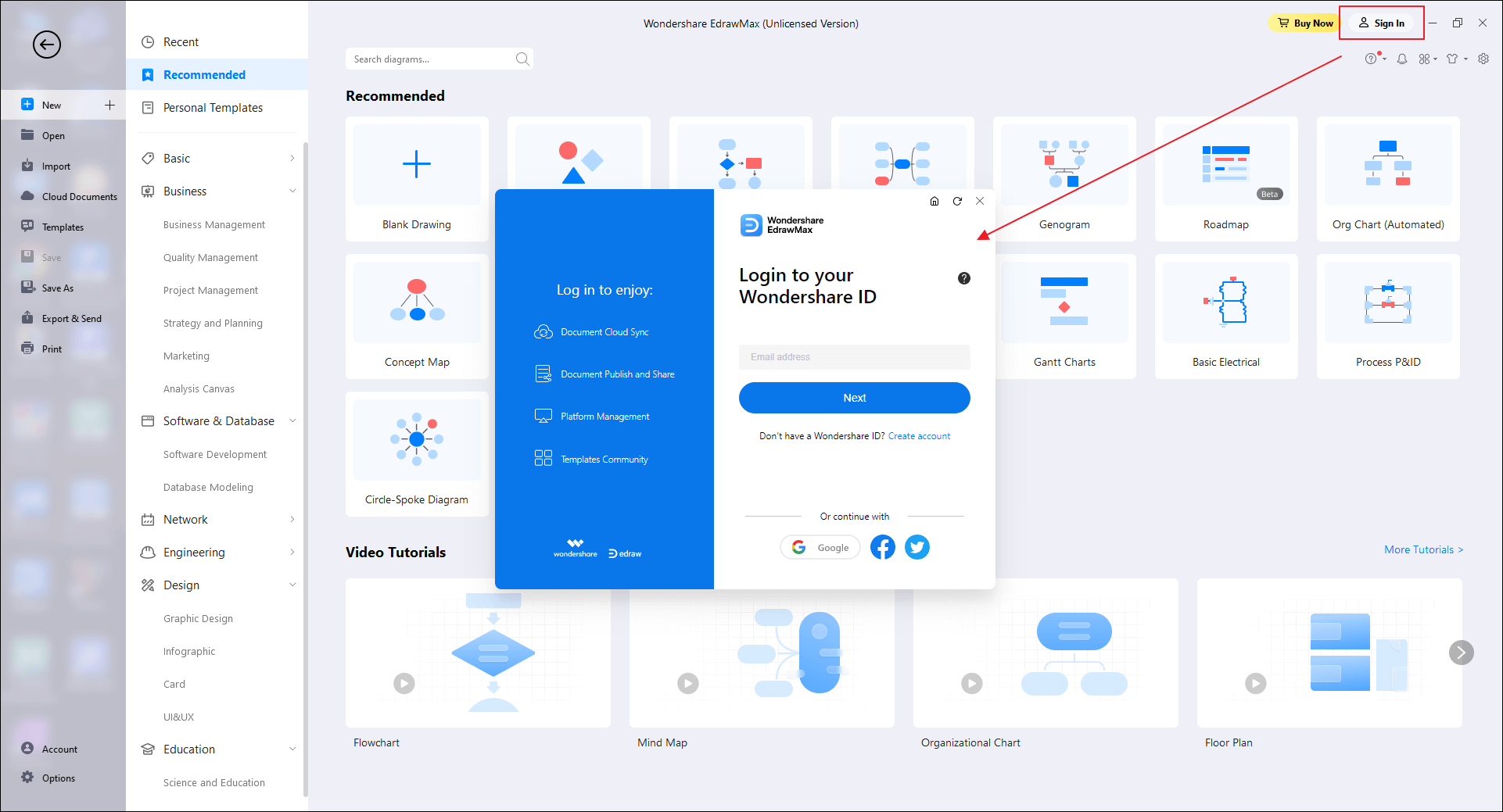
Ensure you have installed the latest version of the software on the computer and click Sign In after opening it. Enter your email and password. Alternatively, you can continue with your Google, Facebook or Twitter account.
Tips: If you are not sure about which method you registered with, please find the order confirmation email that we sent to you, and you can find your registered account has been listed.
Step2 Restart the Software and Check Authorization
Restart the Edraw software. If you have bought a membership, you can see “Wondershare EdrawMax (Unlicensed Version)” becomes “Wondershare EdrawMax” and “Wondershare EdrawMind” turns into “Wondershare EdrawMind(Pro)", which means you have logged in successfully. Now, you can use all the advanced features and access to your cloud documents freely.
2. How to Activate Edraw Software with License Code (EdrawMax & EdrawMind)
This is the tutorial to activate Edraw software, and you can follow the steps below,
There is a video tutorial you can watch to learn how to activate EdrawMax, just click the table of contents and jump to it.
- Activate Edraw Software with License Code
- Bind License Code with Your Edraw account
- Video Tutorial to Activate EdrawMax
2.1 Activate Edraw Software with License Code
Here, you can purchase the Edraw software and then activate the software with license code.
Step1 Pick Your Pricing Plan & Get the Code
Go to the EdrawMax Online Store and EdrawMind Online Store, after you have paid for the Edraw software, you will get the valid license code in the order confirmation email.
Step2 Navigate to Account & Activate/Activation
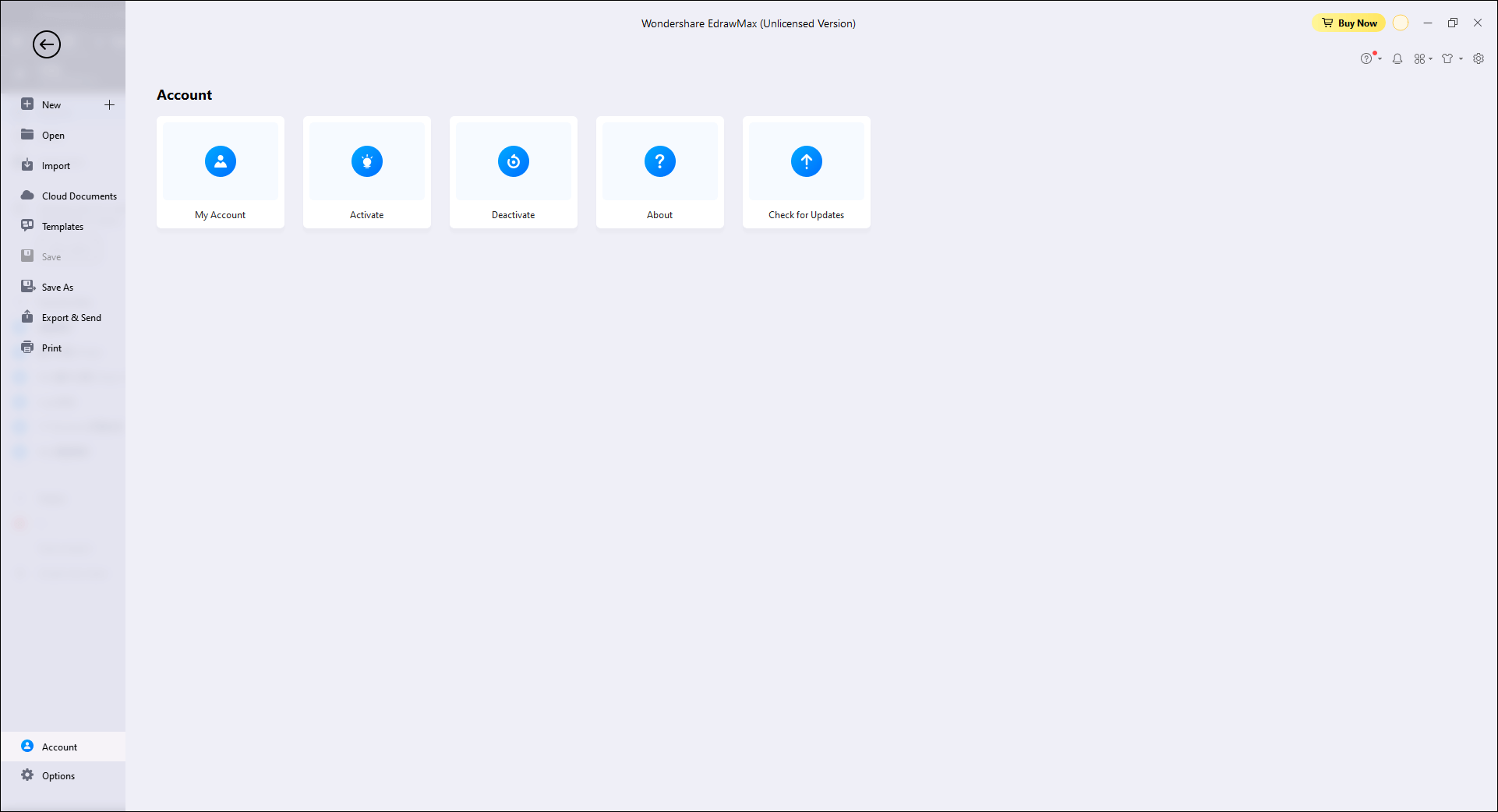
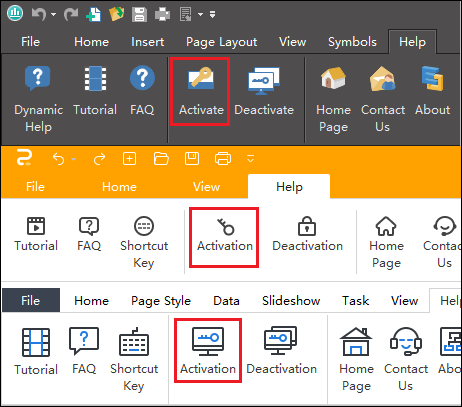
Click "File" > "Account". You can find the "Activate" or "Activation" option.
Step3 Activate License Code
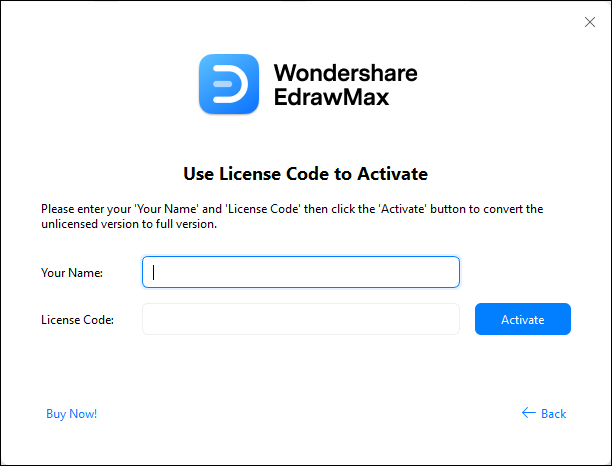
Once you click "Activation", you can see the pop-up dialog box. Choose “Enter License Code to Activate the Software”.
Here, you can fill in your name, paste your license code from the email directly, and then hit the "Activate" button.
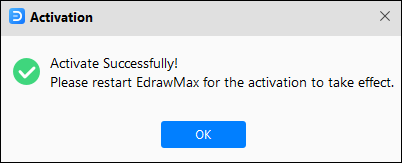
Wait for seconds and you will see the below pop-up window, which shows that you have activated the software successfully.
2.2 Associate License Code with Your Edraw account
If you want to associate license code with your edraw account, please follow the steps below.
Step1 Sign in
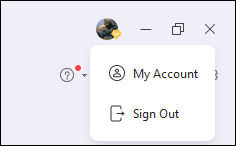
In EdrawMax and EdrawMind, sign in to your Edraw account and open "My Account". You can also choose to login with the Google, Facebook, Twitter account.
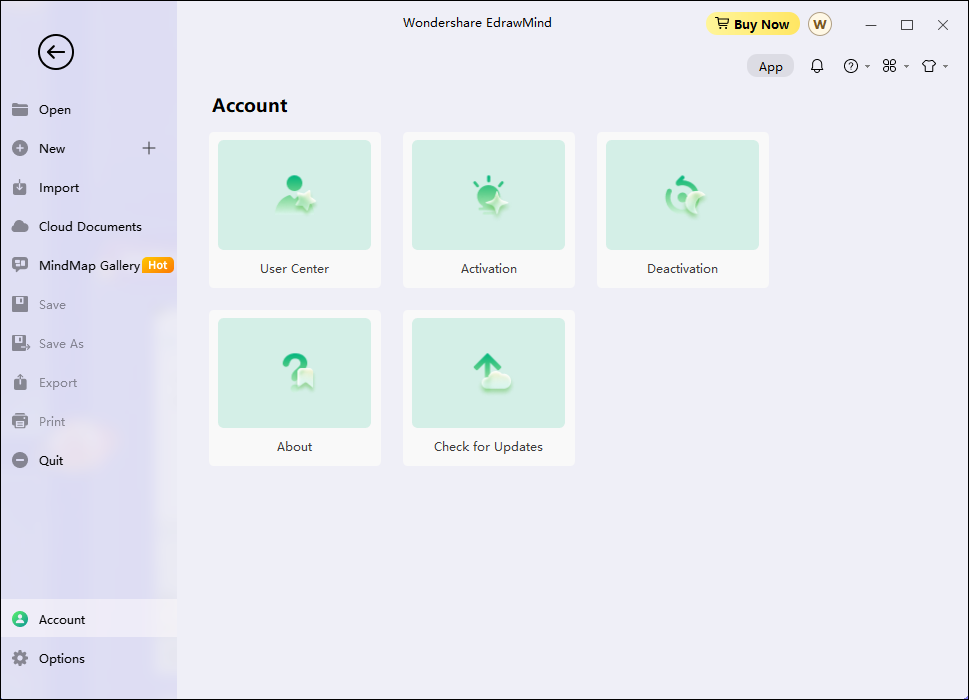
In EdrawMind, you can click "File" > "Account". Then select "User Center" and a new window will pop up.
Step2 Associate License
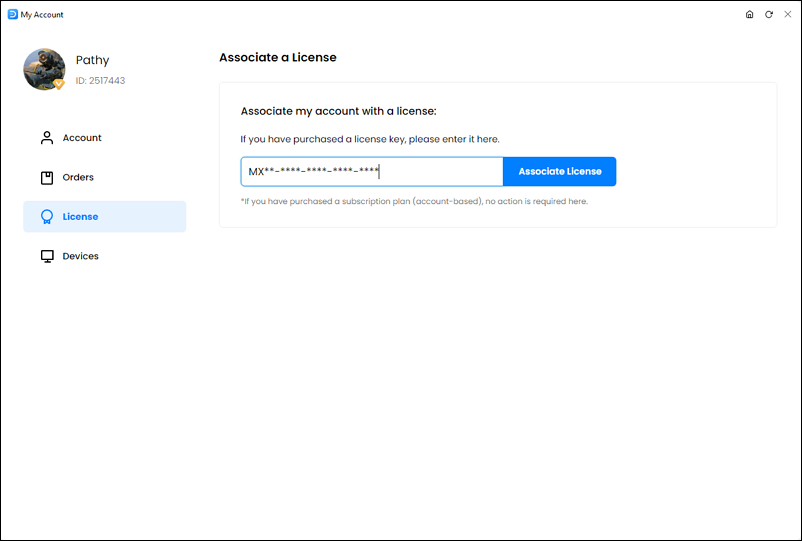
Click "License", paste your license code in the blank bar and click "Associate License". And now you can use the templates in Template gallery and the cloud feature.
2.3 Video Tutorial to Activate EdrawMax
This video tutorial will tell you how to sign in or activate EdrawMax.
3. How to Activate Edraw Software (EdrawProj, OrgCharting and EdrawInfo)
This is the tutorial to activate Edraw software (EdrawProj, OrgCharting and EdrawInfo).
You can follow the steps below to activate your Edraw Software with license code.
Step1 Pick Your Pricing Plan & Get the Code
Go to the Online Store. After you have paid for the Edraw software, you will get the valid license code in the order confirmation email.
Step2 Navigate to Activation/Activate
Click "File" > "Help". You can find the "Activation"/"Activate" option.
Step4 Activate License Code
Once you click "Activation"/"Activate", you can see the pop-up dialog box.
Here, you can fill in license name, paste your license code from the email directly, and then hit the "Activate" button.
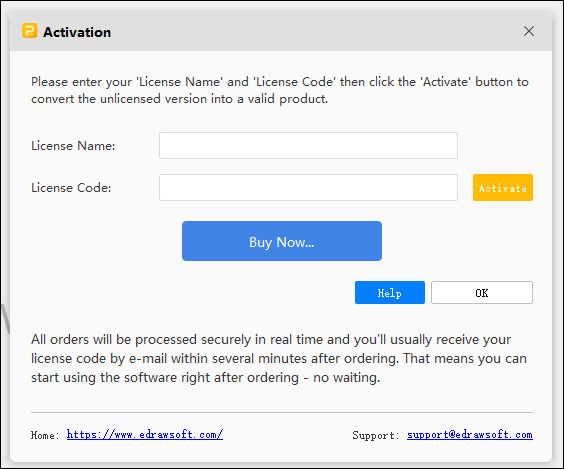
Wait for seconds and you will see the pop-up window, which shows that you have activated the software successfully.
4. How to Activate Edraw Software without Internet
Also, Edraw provides you with the method to activate software without the internet connection.
Step1 Enter Your Name and License Code Normally
When you open EdrawMax, click “File” > “Account” > “Activate”. Then, you need to click “Enter License Code to Activate the Software”. Now, you will see a dialog box that requires entering your name and license code. You can fill the information even without the internet. After that, hit “Activate”.
Step2 Right Click the Hyperlink and Copy the URL
After clicking “Activate”, a message box will pop up without the internet. Here, you need to right click “Get activation code”. Then, click the “Copy Link Location” menu to copy the URL.
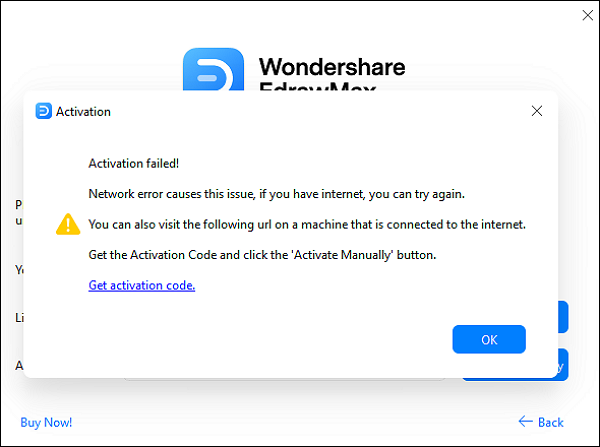
Note: the URL seems that "https://www.edrawsoft.com/acassist.php?p=edmax&m=51a31b08c9&r=0801-8888-8888-8888-8888&v=8.7&o=win&a=en".
Step3 Visit the Same URL on Another Device with the Internet
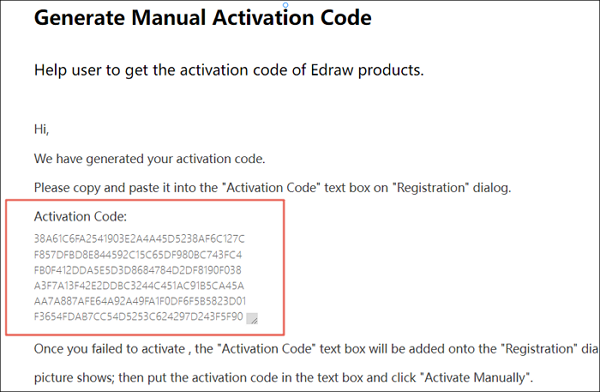
Visit the same URL on another computer or mobile with the internet connection. Here, you can find the Activation Code. Copy the activation code!
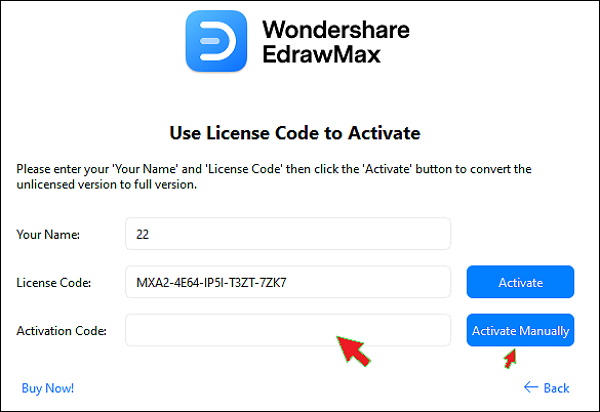
Step4 Enter the Activation Code Without Internet
Now, you can use the activation code to activate Edraw on the first computer without internet manually!
You May Also Like




