Edraw 서포트 센터
Edraw 서포트센터에서 제품 사용법과 FAQ에 대한 해답을 만나보세요.
Set Password for Mind Map
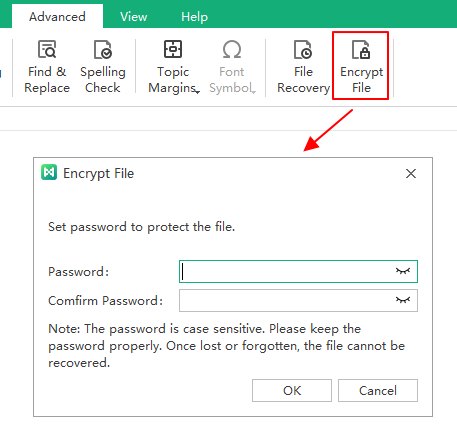
To set a password for your mind map, go to the Advanced tab and click Encrypt File. The Encrypt File window shows up, where you need to input and confirm a password that must contain 4 characters.
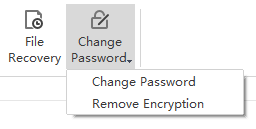
Once you finish setting the password, the button will turn into “Change Password”. You can change your password or remove encryption as you like.