

Edraw 서포트 센터
Edraw 서포트센터에서 제품 사용법과 FAQ에 대한 해답을 만나보세요.
Insert Formula
To insert a formula, select the topic, then
- Go to Home tab > Formula;
- Right-click and choose Formula on the context menu;
- Press Ctrl + Shift + L.
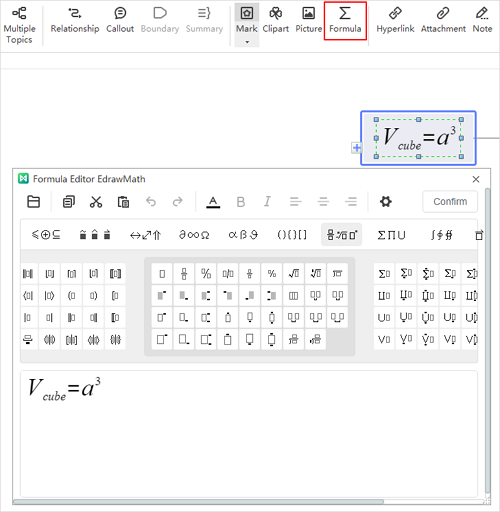
You can edit your formula in the formula editor, click Confirm and the formula will be exported as an image and inserted into the topic. The editor also supports to open files in latex and mml formats.