


 TL;DR:
Utilisez le logiciel EdrawMax pour concevoir un plan d'étage optimisé de 700 pieds carrés en exploitant son canevas spécialisé et ses bibliothèques de symboles pour créer des aménagements à concept ouvert et multifonctionnels.
● Optimisez la superficie de 700 pieds carrés en réduisant les couloirs, en aménageant des espaces à double usage et en délimitant les zones avec des tapis ou l'éclairage plutôt qu'avec des murs.
● Construisez la structure en sélectionnant un canevas Floor Plan, insérez les éléments depuis la bibliothèque Wall Shell and structure, et utilisez l'option Fit to drawing pour redimensionner automatiquement les murs extérieurs.
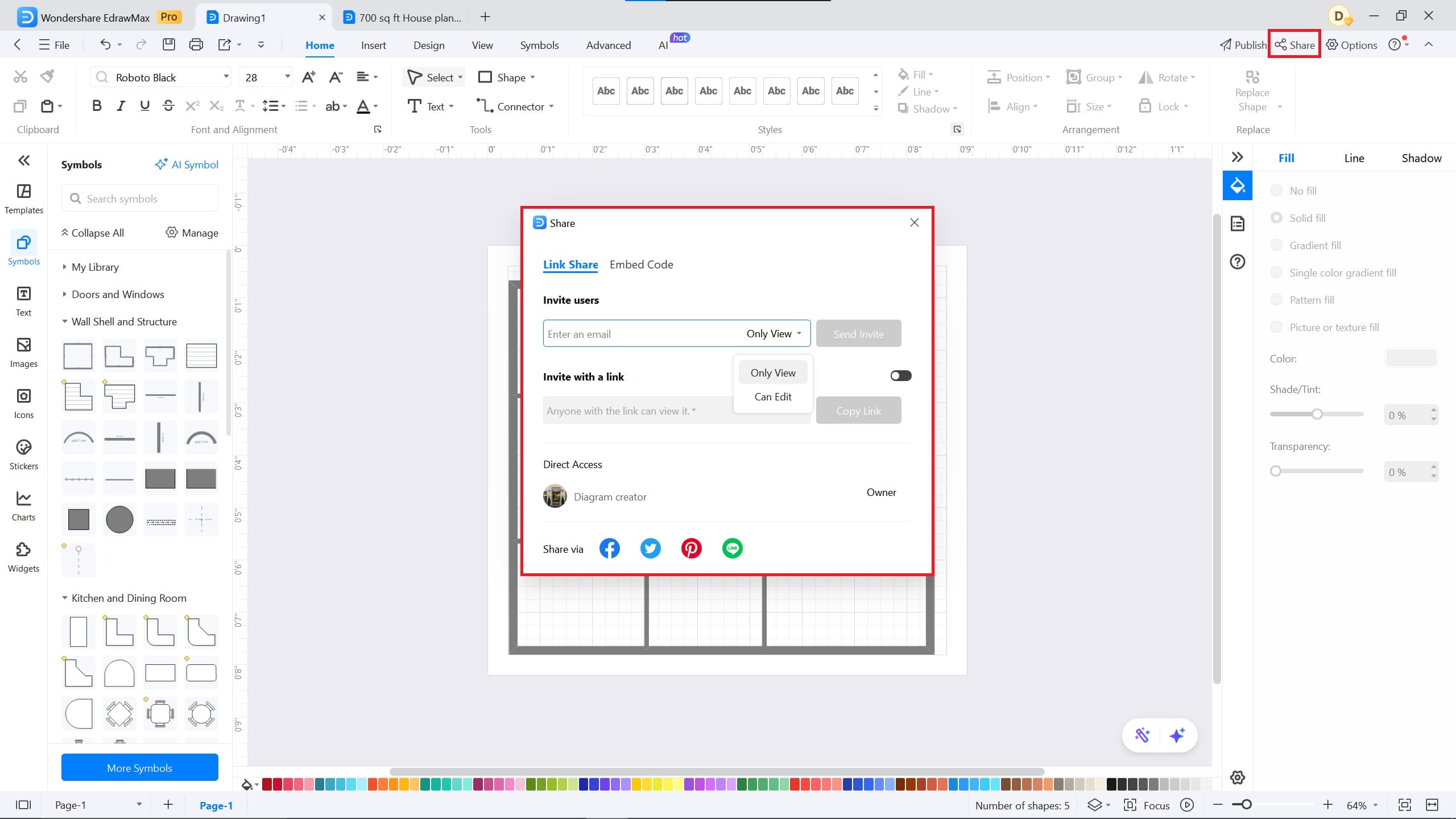
● Partagez le diagramme avec votre équipe en modifiant les permissions sur Can Edit, ou exportez le plan final dans des formats spécifiques tels que Visio, EDDX, PDF, PPT ou Excel.
Demandez un résumé à l'IA
 ChatGPT
 Perplexity
 Gemini
 Claude
 Grok
Grok
Designing a 700 sq ft floor plan for your office or house, but don’t know where to begin. If that’s the case, this article is for you.
Crafting and drawing floor plans on paper requires considerable effort. Therefore, it is advisable to use software such as EdrawMax.
In this article, we will guide you on how to make a 700 sq. ft. floor plan with EdrawMax and provide you with valuable tips.
In this article
Examples of 700 sq. ft. Floor Plans
Here are two examples for 700 sq. ft. floor plans, which I personally recommend:
Example One
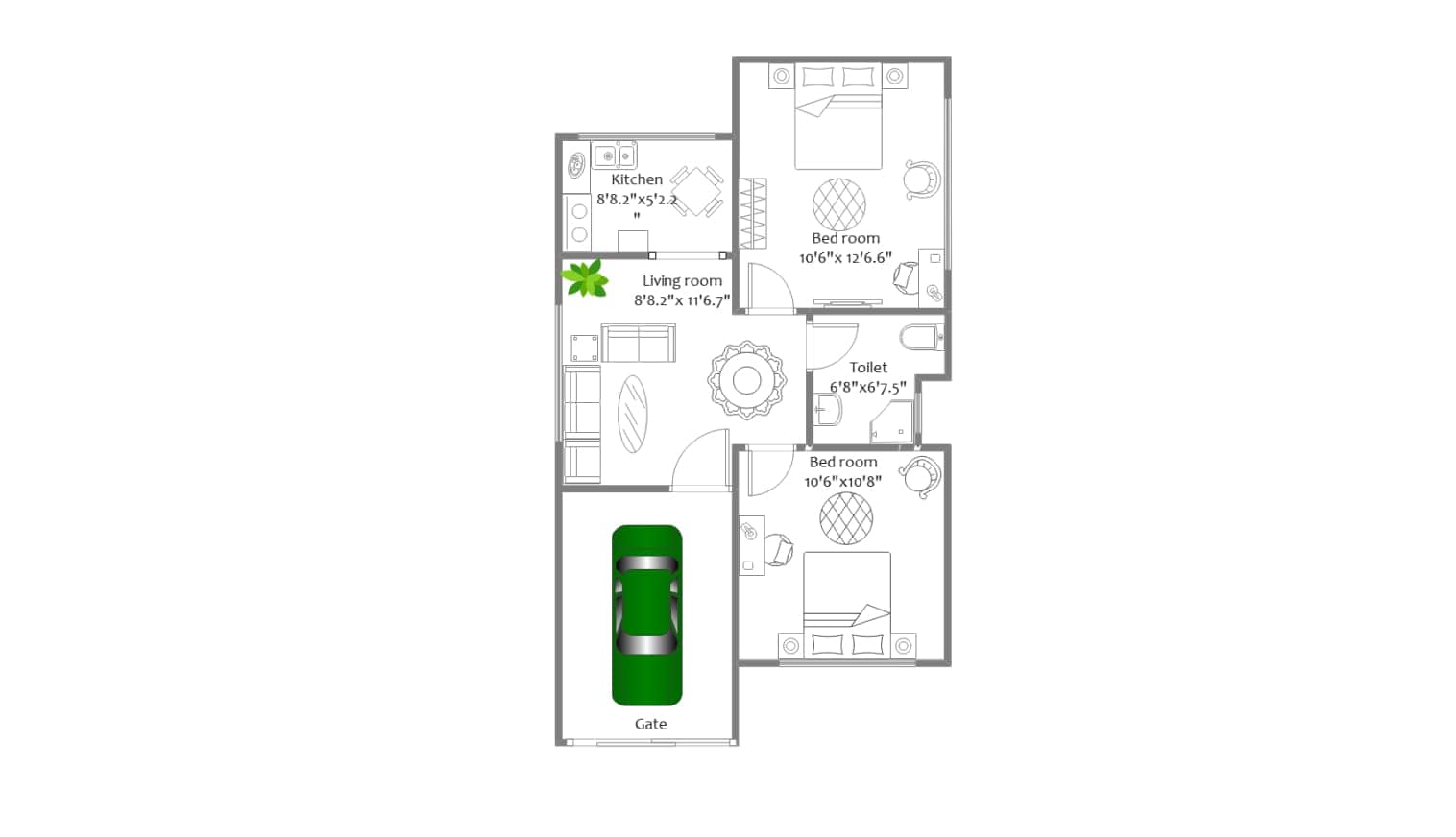


This is a 700 sq ft. house floor plan with a garage. The floor plan has two large bedrooms with a shared bathroom. It features a spacious living room, perfect for entertaining and hosting family gatherings. The kitchen features a delightful culinary area that includes a separate breakfast space.
Additionally, the floor plan features a spacious garage that can accommodate an SUV and a bicycle.
Example Two
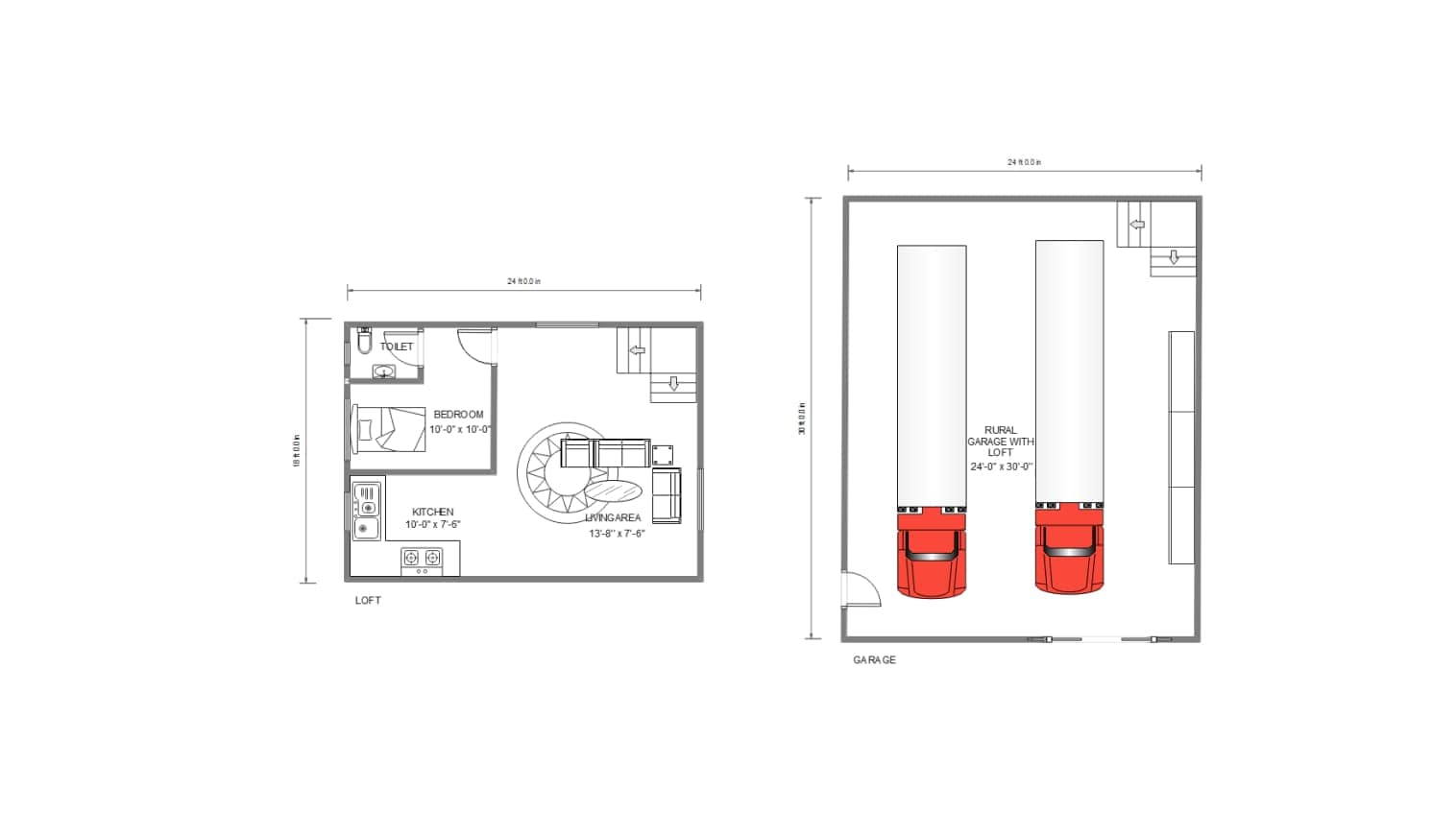
This floor plan features a single bedroom and an open American kitchen. The bedroom features a personal wardrobe and an attached bathroom, providing an ideal space for those who value privacy. The living area is situated at the center of the floor plan, making it suitable for gatherings with friends and entertainment.
700 sq. ft. Floor Plan: Design Characteristics and Space-Saving Tips
- Efficient Layout: Open concept layouts work best for 700 sq. ft. plans, such as combining the kitchen with dining and living areas, maximizing usable space, and creating an airy feel.
- Multi-Functional Spaces: A well-designed 700 sq. ft. home often includes rooms that serve dual purposes, like a combined home office and guest room, or a kitchen island that functions as both prep space and dining area.
- Minimal hallways: When designing a 700 sq. ft. floor plan, make sure to keep the hallways minimal. This frees up more space for essential living areas and avoids wasting square footage on non-functional pathways.
- Defined zones without walls: In a 700 sq. ft. home, it's important to visually separate spaces without breaking them up with walls. Rugs, furniture arrangement, and lighting can help define zones while maintaining an open layout.
- Leverage outdoor space: If available, a patio or balcony can effectively extend a 700 sq. ft. home's livable area. Adding seating or planters can enhance comfort and usability.
By acknowledging and leveraging these characteristics and tips, a 700 sq. ft. floor plan can feel spacious, modern, and entirely livable.
How to Make a 700 sq. ft. Floor Plan
 Note G2 : 4,5/5 (Plus de 2360 réponses)
 100% sûr | Sans annonces |
 Propulsé par l'IA
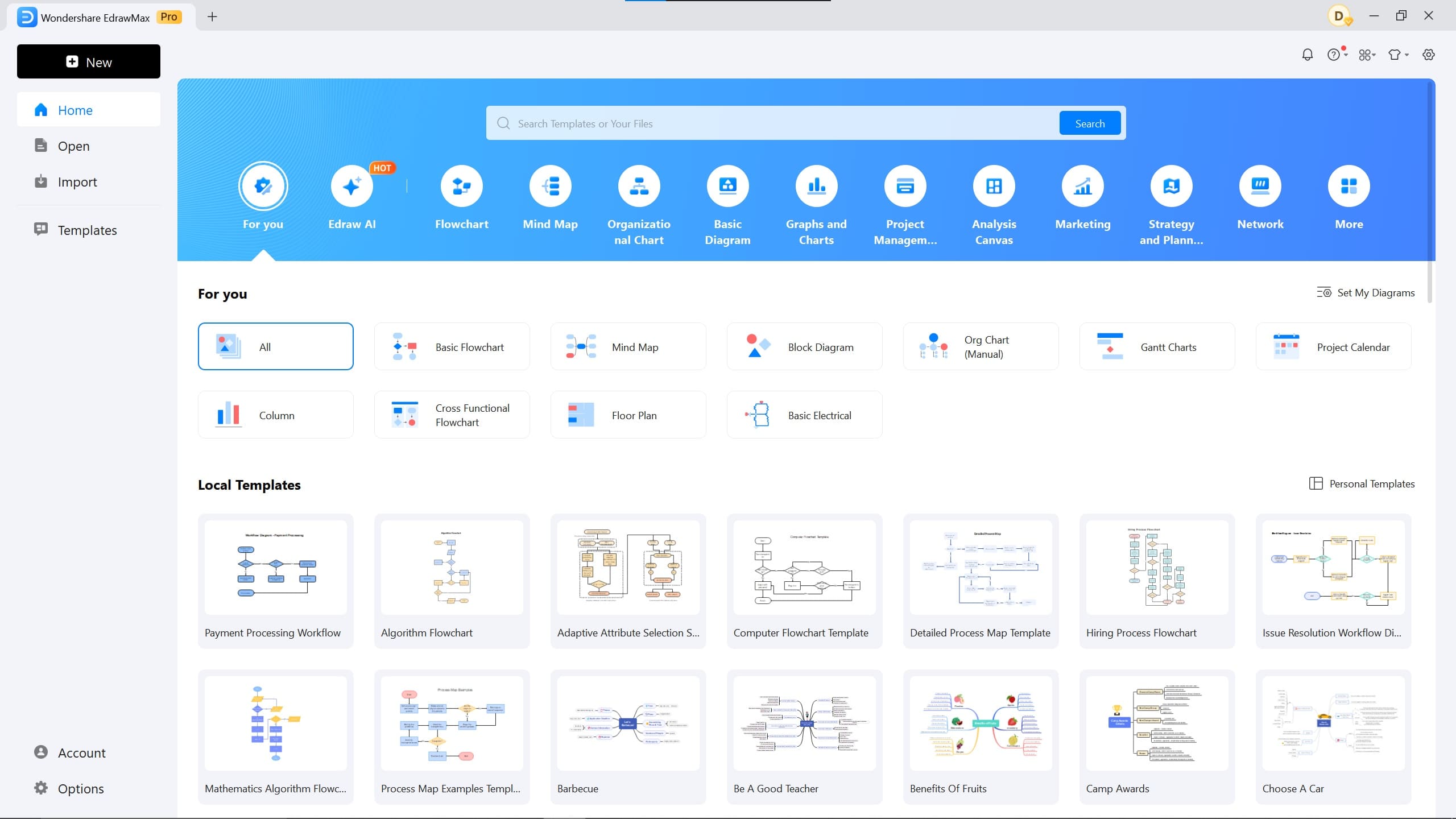
Step1 Download EdrawMax
You can use EdrawMax online and create your diagram. If you prefer a smoother workflow, download EdrawMax.
Create your account and sign up.
Step2 Open EdrawMax Blank Canva
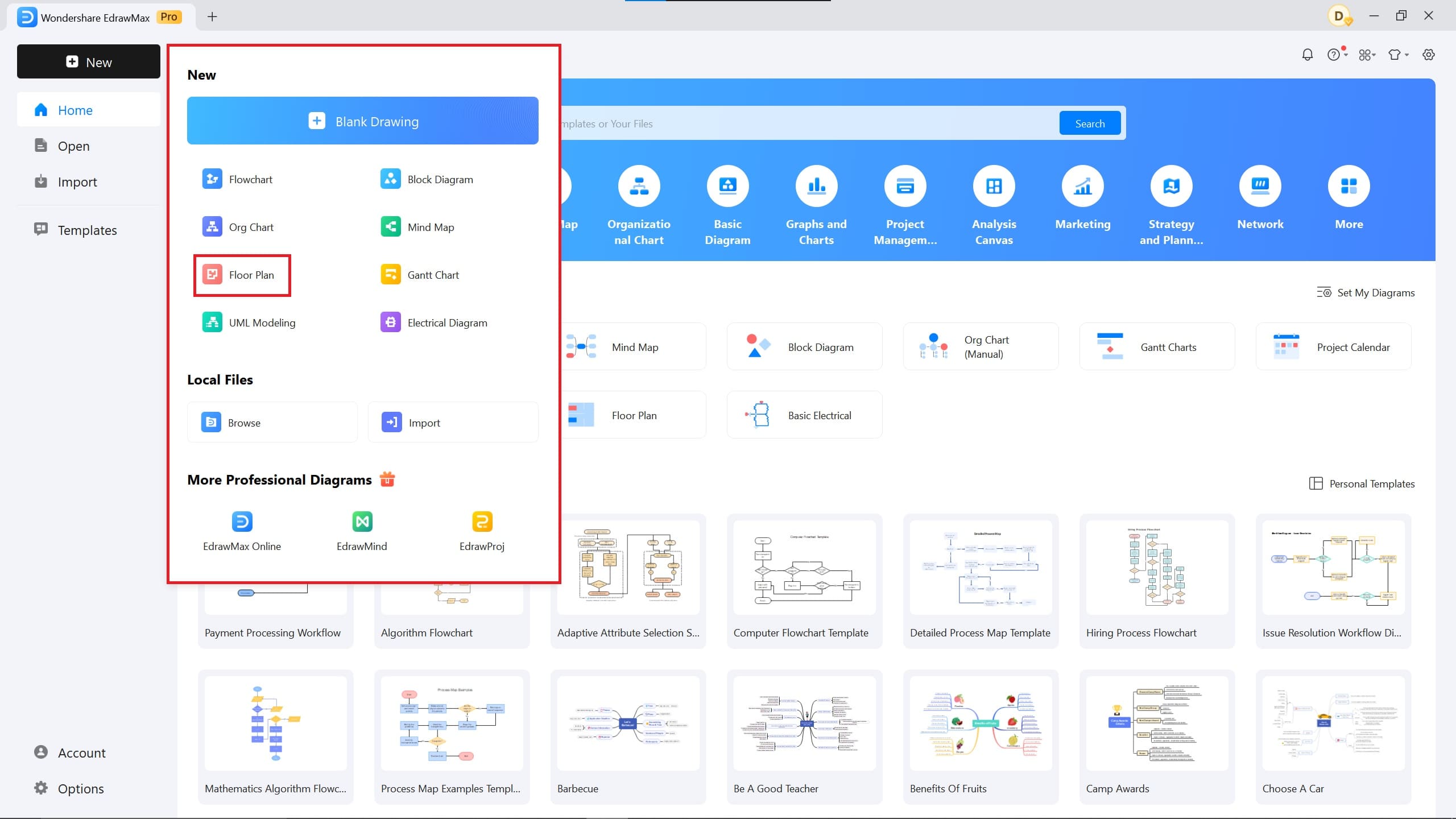
When you are signed up, open EdrawMax and click on New.
For the floor plan design canvas, click on Floor Plan, and EdrawMax will open a canvas specifically for floor plans.
You will see different options for other related diagrams.
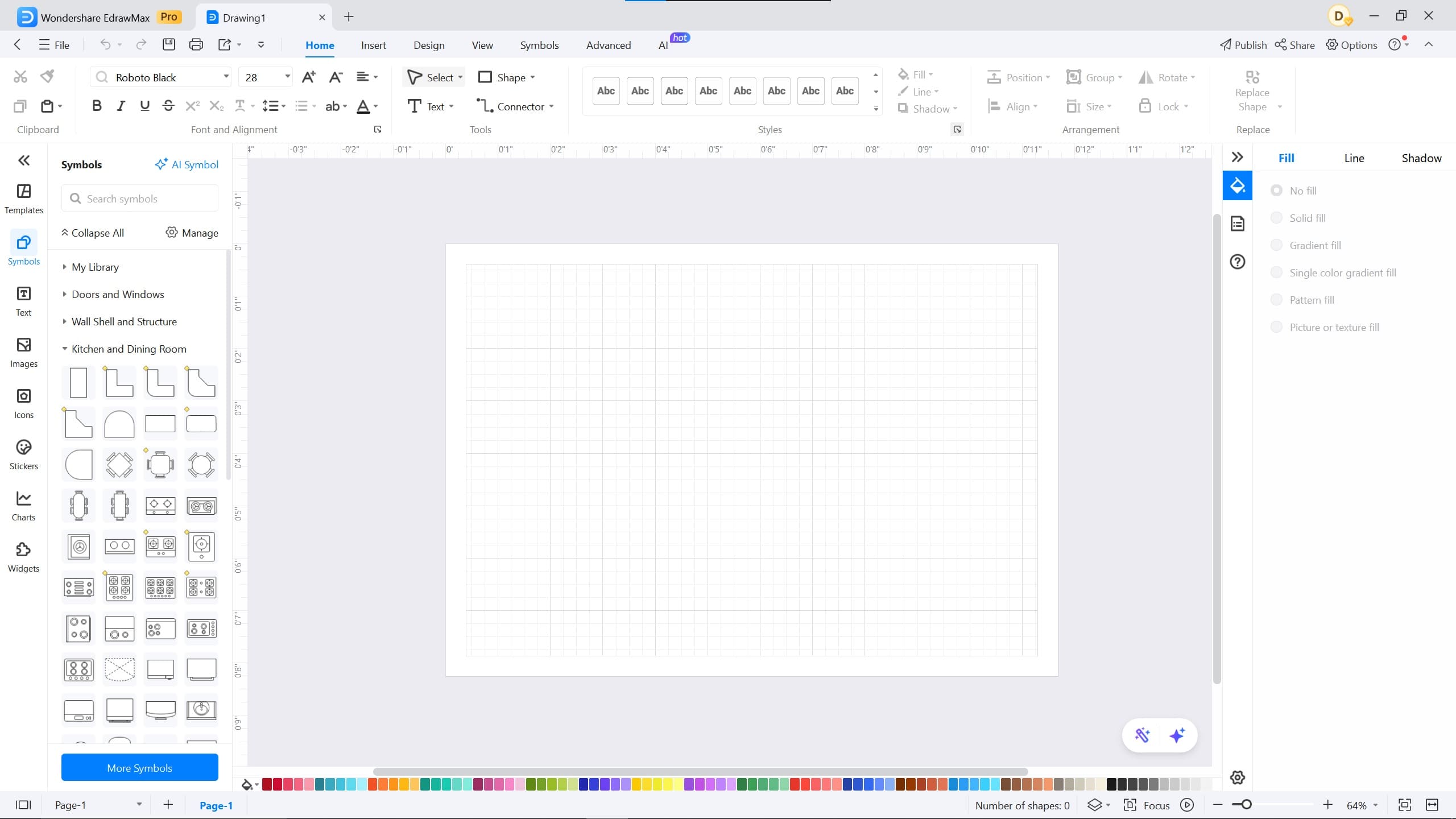
Step3 Select Exterior & Interior Walls
You will see a variety of symbols on the right side of your screen. There are doors and windows, a wall shell & structure, and kitchen symbols. These are the default symbols that come with the floor plan canvas.
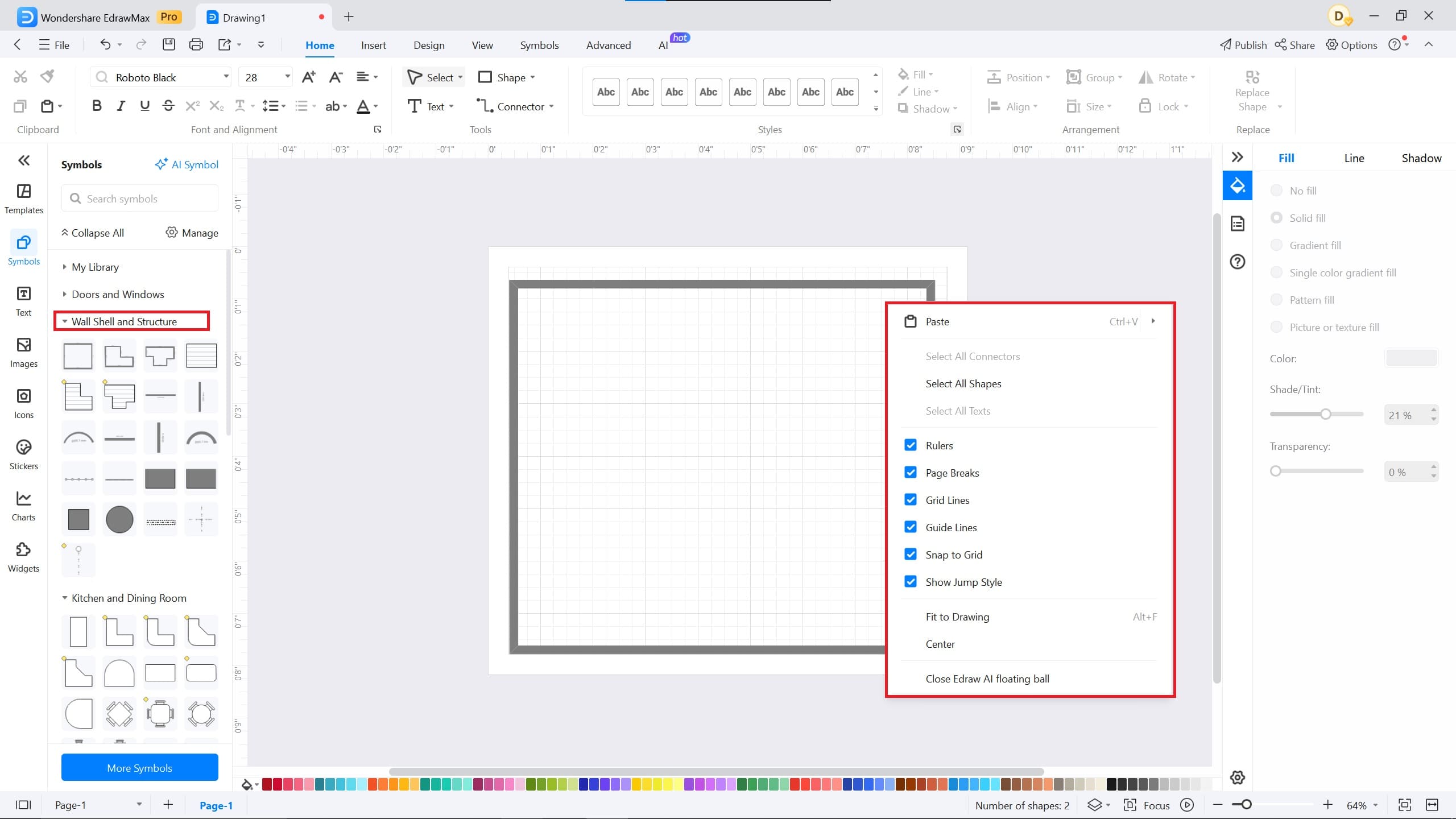
For exterior and interior walls, go to the Wall Shell and structure symbols library.
Select the wall symbols for exterior. Tap the left mouse button and select Fit to drawing, which will resize the symbol to fit the canvas.
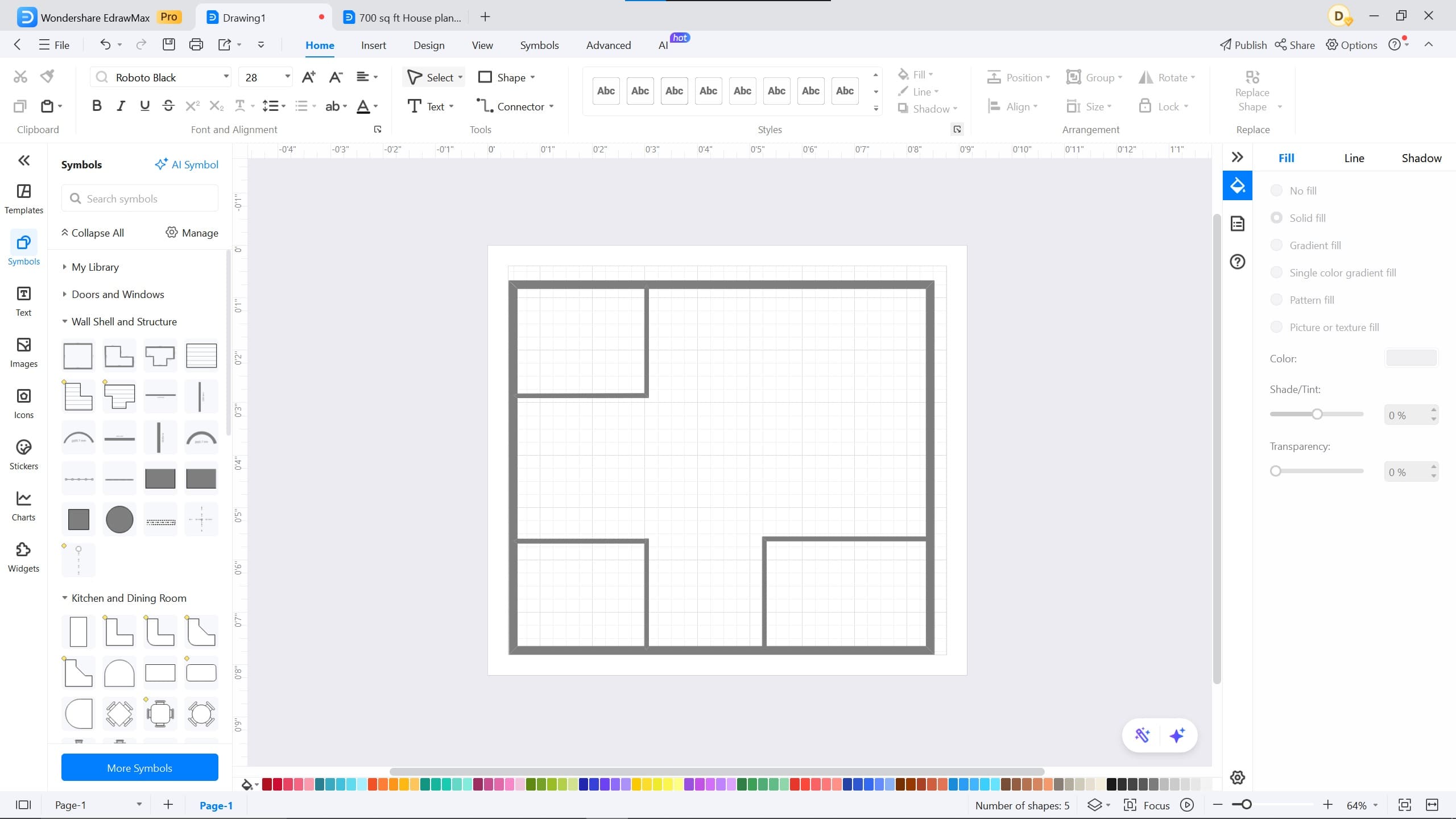
Similarly, you can draw the interior walls by selecting the horizontal and vertical wall symbols.
Place the interior walls according to your preferences and make rooms.
Step4 Add Doors and Windows
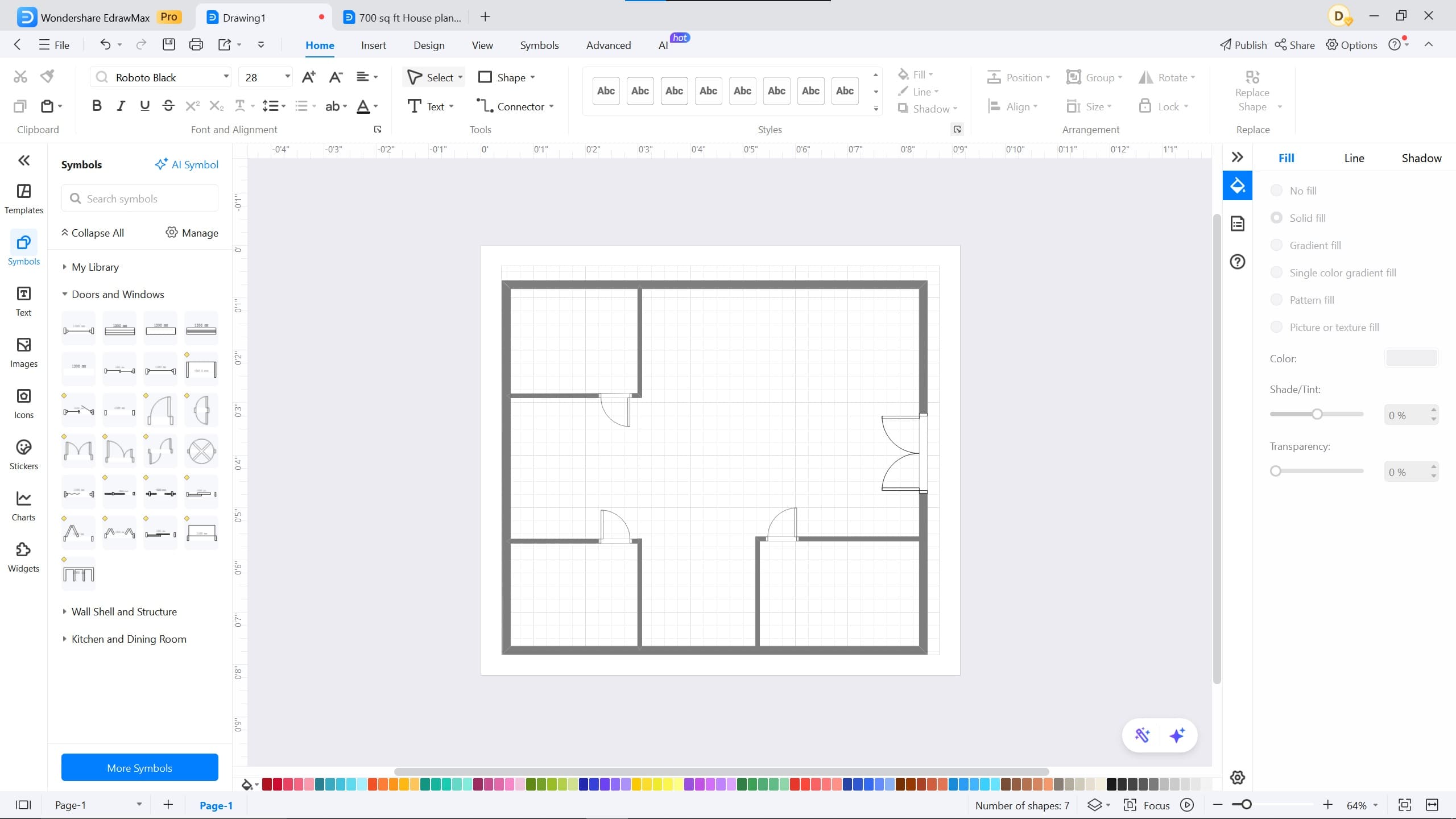
Add doors for the rooms from the Door and Windows library.
Use a double door for the entrance.
Step5 Export and Share
Once you are done making your floor plan, click on the curve arrow on the top right corner and export your diagram.
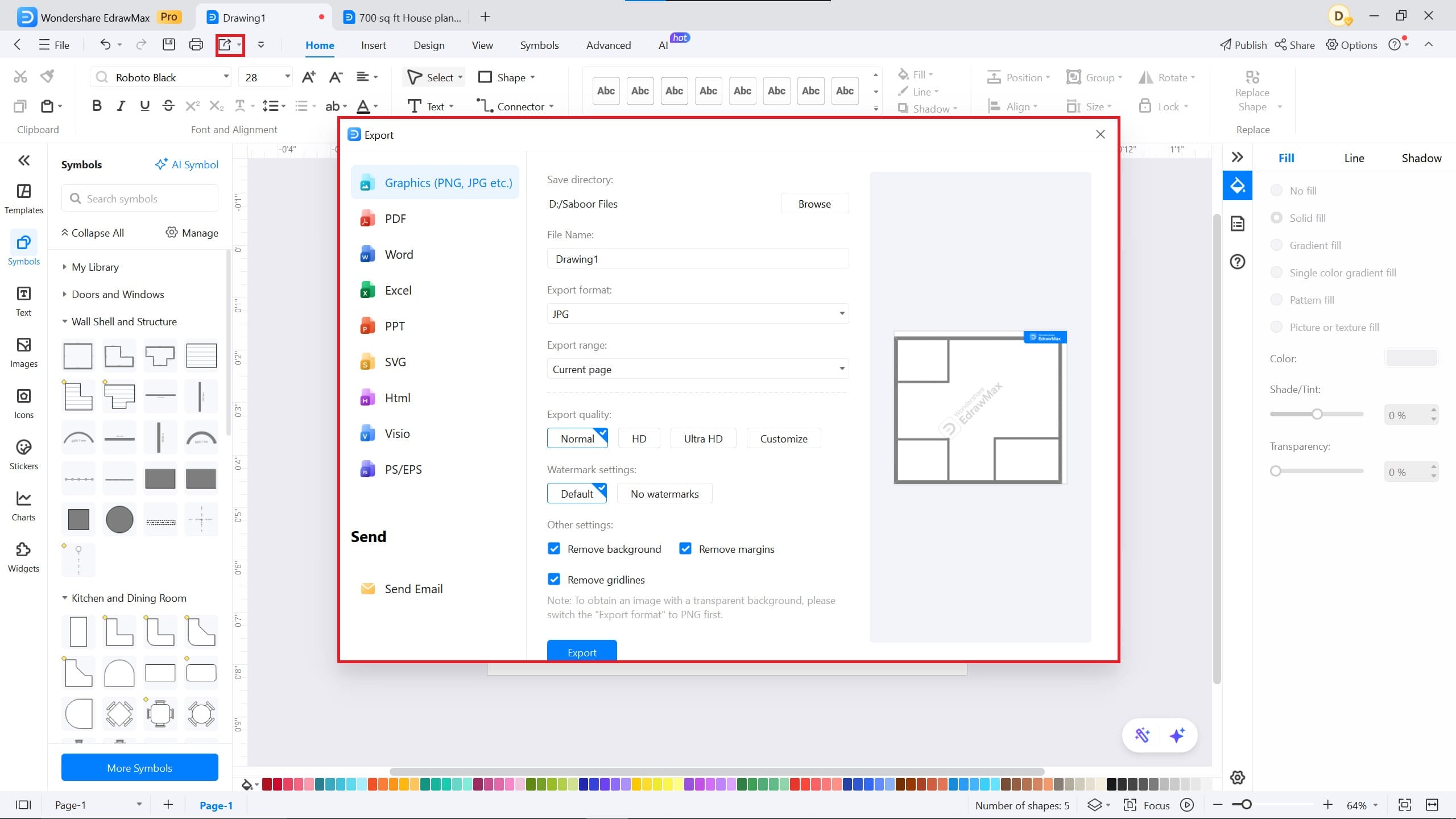
Similarly, you can share your diagram with other team members and allow them to work on the same file. Click on the Share button in the top left corner of the screen. You can also edit the permission from 'Only View' to 'Can Edit'.
EdrawMax – The Free Floor Maker Software
Everyone needs a tool to make the process smoother and more flexible for designing floor plans more efficiently. That’s where EdrawMax, a free floor plan maker software, comes into play.
EdrawMax is a classical tool for making diagrams, event charts, network diagrams, floor plans, and flowcharts. Here are some features for EdrawMax:
Note G2 : 4,5/5 (Plus de 2360 réponses)
100% sûr | Sans annonces |
Propulsé par l'IA- With over 15,000+ diagram templates and 26,000 symbols, you can create diagrams with ease and flexibility.
- EdrawMax provides a visual workspace for your team, allowing you to collaborate with team members.
- The AI integration helps you revolutionize your work and related diagrams. It features AI capabilities, including analysis, diagram creation, copywriting, symbols, and stickers.
- The tool allows you to export your diagrams in different formats such as PDF, PPT, Word, Excel, Visio, EDDX, PNG, and JPG.
With EdrawMax, you can find various 700 sq. ft. templates and customize them to suit your preferences.

Simple. Intelligent. Des diagrammes étonnants pour chaque idée.

 (IA et Web)