Edraw 서포트 센터
Edraw 서포트센터에서 제품 사용법과 FAQ에 대한 해답을 만나보세요.
Modify Picture
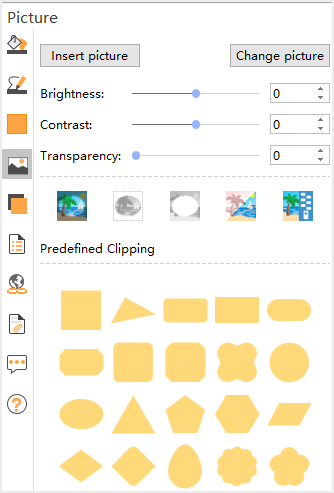
Select a picture, click Picture icon on the right sidebar, you can click the following options to modify pictures. You can adjust the relative lightness of a picture (brightness) or the difference between the darkest and lightest areas (contrast) by using the options below.
Recolor: To apply a stylized effect, such as grayscale or sepia tone, click this button, and then click the option that you want.
Brightness: Move the Brightness slider, or enter a number in the box next to the slider.
Contrast: Move the Contrast slider, or enter a number in the box next to the slider.
Change Picture: Select the target picture and replace it with the current one.