

Edraw 서포트 센터
Edraw 서포트센터에서 제품 사용법과 FAQ에 대한 해답을 만나보세요.
Slide Preview
Slide Preview Panel
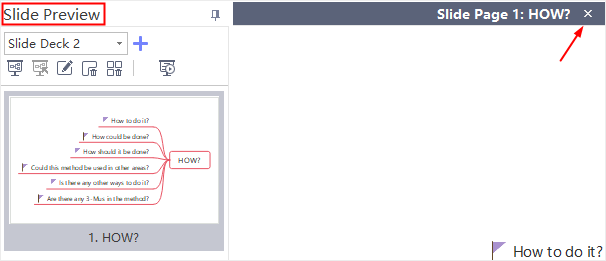
Once a slide is created, the Slide Preview panel will open automatically. You can close or reopen the panel by clicking Slide Preview  button on Slideshow tab.
Click slide thumbnails on the panel and you can preview all the slides. Besides, you can click  button to exit from viewing each slide on the right page.
Delete Whole Slides
To delete the whole slides, you can:
- Click Remove the Whole Slides button
 .
. - Right-click the slide on Slide Preview panel and click Remove the Whole Slides in the context menu.
- Click Remove All button on Slideshow tab.