Edraw 서포트 센터
Edraw 서포트센터에서 제품 사용법과 FAQ에 대한 해답을 만나보세요.
Create Slides
Create Slides Automatically
MindMaster lets you create a set of slides based on map branches with one button click. All slides are automatically generated from your map branches one by one.
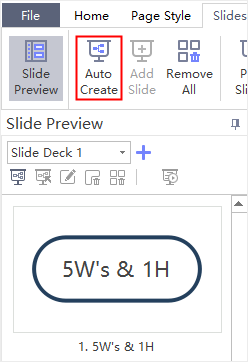
- Go to Slideshow tab and click Auto Create button
 .
. - When the slides are created, you can see thumbnails of the auto-created slides on Slide Preview panel. The first slide is Main idea and the rest of the slides are the branches.
Create Slides Manually
If you don’t want the auto-created slides, you can create them manually and choose which branch or topic you want to add into the slideshow.
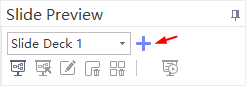
- Open Slide Preview panel and click
 button.
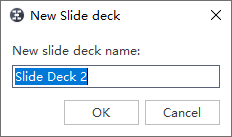
 - A pop-up dialog box will show and let you name the new slide deck.
- Type the name of your new slide and click OK.
- A new slide deck is created.