Edraw MindMaster 2025 Version
Professional Mind Mapping Software
A product of Wondershare, a publicly listed company in China (A-shares)
-
 AI
Mind Mapping
AI
Mind Mapping
-
Fully functional and easy to use
-
Available on Win/Mac/Linux/Web/Mobile
-
Over
1 Million+ Templates
-
Real-time Collaboration for Multiple Users
-
High-quality PDF/Office/Image Export


 View Software Tutorials

Over 40 million downloads
Can be used for knowledge management, book notes, project planning, meeting management, article outlines, and more, improving work and study efficiency.

National High-tech
Enterprise

Over 1 Million+
High-Quality Templates

Available in 150
Countries and Regions
AI Smart Mind Mapping
Generate a mind map by simply entering a
sentence

AI Smart Mind Mapping
Generate a mind map by simply entering a sentence
- 7 preset scenarios, easily generate articles, weekly reports, SWOT analysis, etc.
- Supports continuous dialogue, continually optimizing query results
- Supports AI-generated images, images generated from text, with 30+ style models to choose from
 7 Preset Scenarios
 AI Drawing
 AI Continuous Dialogue
 OCR Text Extraction
AI Mind Map Style One-Click Transformation
Supports PPT/Posters/Audio
& Video
- Supports AI-generated PPTs, with customizable styles and formats
- Mobile Version Supports AI-Generated Posters, making mobile reading easier
- Supports the intelligent generation of story scripts and corresponding audio/video from mind maps
AI Mind Map Style One-Click Transformation
Supports
PPT/Posters/Audio & Video

 Supports generating PPTs
 Mobile Version Supports
Generating Posters
Mobile Version Supports
Generating Posters
 Supports generating audio
 Supports generating videos
Cross-Platform Cloud Storage Access Anywhere, Anytime

Cross-Platform Cloud Storage
Access Anywhere, Anytime
- Supports web-based, desktop, mobile, tablet, and WeChat mini-program versions
- Real-time syncing across multiple devices, enabling sharing and collaborative editing
- No download required, no device limitations, create professional mind maps
 Multi-selection
collaboration
Multi-selection
collaboration
 Social Sharing
 Team Management
 Meeting Presentations
Visually stunning themes
with one-click creation
- 33 theme styles with one-click mind map beautification, easy for beginners
- 12 layouts, including mind maps, timelines, fishbone diagrams, bubble charts, etc.
- Flexibly customizable, optimizing every detail
Visually stunning themes with one-click creation
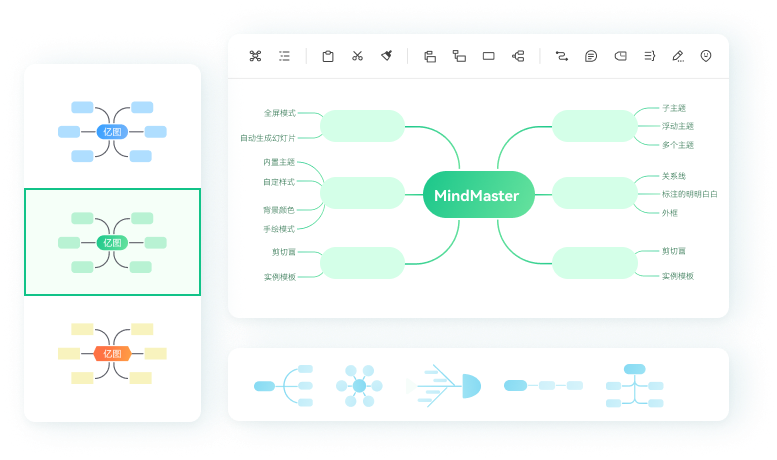
 22+ Layouts
 33+ Theme Styles
 700+ Cliparts
 Customizable Styles
1 Million+ Mind Map Templates and Knowledge Base
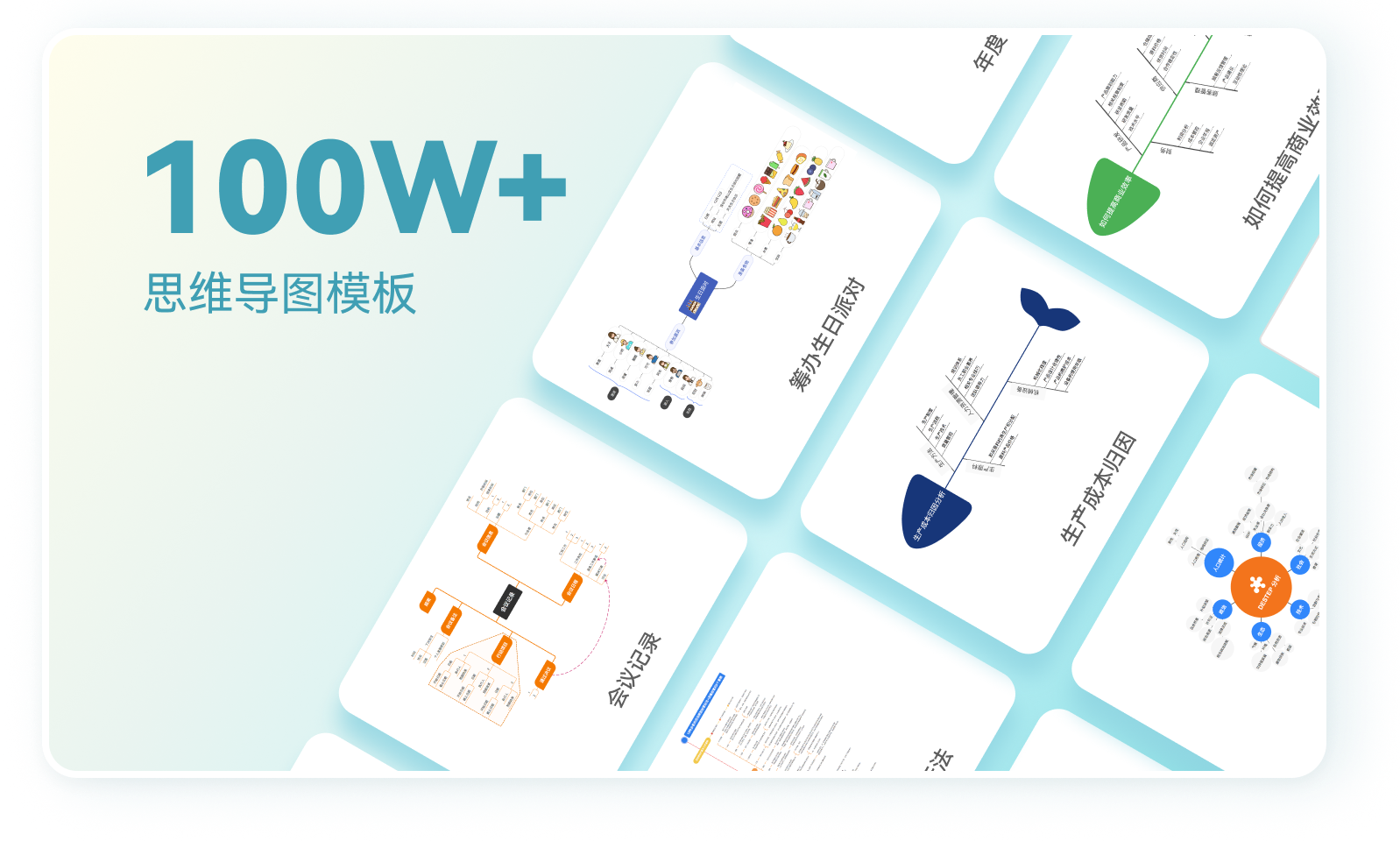
1 Million+ Mind Map Templates
and Knowledge Base
- Covering categories such as book notes, career skills, postgraduate exams, and more than 50 specialized collections
- 10,000+ original content creators co-building a knowledge-sharing community
- Publish your mind maps to monetize and increase your income
 Reading Notes
 Exam Preparation
 Career Strategies
 Everything in mind maps
More Advanced
and Professional Mind Mapping Tools
- Insert images, tables, attachments, clip art, LaTeX mathematical formulas, and more
- Presentation Mode, Outline Mode, Brainstorming, Gantt Charts, and more
- Online Collaboration, Real-time multi-user editing of the same document (Collaborative Version)
More Advanced and Professional Mind Mapping Tools
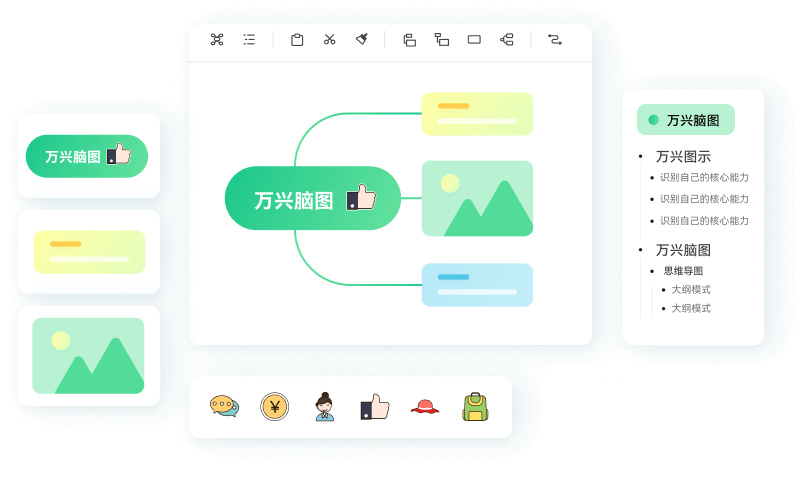
 Slide Mode
 Outline Mode
 Brainstorming
 Gantt Chart


Edraw MindMaster
Full-Featured Mind Mapping Tool
Now, download it for free and experience it right away!




They All Use Edraw MindMaster
Users from various industries such as technology, finance, education, internet, consulting, and more
This is so useful! I’m still exploring many of the features, and I can’t stop using it anymore! Highly recommended.
I really love the simple, clean interface, it’s easy to use and practical~ It’s perfect for creating video scripts and outline drafts. I’ve already made hundreds of mind maps~ truly love it
MindMaster is probably the most user-friendly mind mapping software for Chinese users, and my favorite feature is the ‘Function Bar,’ which saves so much time in designing mind maps.
Awesome! ① Bi-directional linking to create my own personal note system; ② Free customization of themes and spacing to make the mind map more visually appealing!... Keep it up!
After my mentor recommended it, I’ve been using mind maps in every aspect of my life, study, and work!
Whether it’s a vertical map or the fresh, varied styles, I’m really into MindMaster. Its community and official accounts are my go-to for learning, and after mastering it, I can create works and make some pocket money—what a joy!
Just like a webpage, click anywhere to go where you want. It’s so helpful for organizing thoughts.
I decided to research on the best tools thot not only save time but aIso help me in optimising my communication of ideas. I found EdrawMax, EdrawMind and Edrawlnfo.
MindMaster is amazing. The operation flow is relatively simple and clear, and it minimizes unnecessary steps, improving my efficiency in creating maps.
I loved how easy it was to drag and drop information. I'm also a big fan of the icons that they provide you with. The themes and templates are beautiful and make everything look GREAT!!
EdrawMind は非常に便利で、複雑な知識、情報、アイデアを明確に構造化されたマインドマップに単純化するのに役立ちます。
Students really love using Edraw MindMaster for mind mapping. It’s so intuitive and clear when brainstorming for club events.
Edraw Diagrams and Edraw MindMaster are easy to use, user-friendly, and have a high-end style. They are widely used, improving understanding and memory, aiding information dissemination, and helping businesses cut costs and improve efficiency. They’re truly at the peak of the mind mapping tool realm, like the moment when you look back and see the person standing in the dim light.
I’m totally hooked by the beautiful interface of your software.
This is so useful! I’m still exploring many of the features, and I can’t stop using it anymore! Highly recommended.
I really love the simple, clean interface. It’s so simple, clean, and practical to use!
MindMaster is probably the most user-friendly mind mapping software for Chinese users, and my favorite feature is the ‘Function Bar,’ which saves so much time in designing mind maps.
Awesome! ① Bi-directional linking to create my own personal note system; ② Free customization of themes and spacing to make the mind map more visually appealing!... Keep it up!
After my mentor recommended it, I’ve been using mind maps in every aspect of my life, study, and work!
Whether it’s a vertical map or the fresh, varied styles, I’m really into MindMaster. Its community and official accounts are my go-to for learning, and after mastering it, I can create works and make some pocket money—what a joy!
Just like a webpage, click anywhere to go where you want. It’s so helpful for organizing thoughts.
I decided to research on the best tools thot not only save time but aIso help me in optimising my communication of ideas. I found EdrawMax, EdrawMind and Edrawlnfo.
MindMaster is amazing. The operation flow is relatively simple and clear, and it minimizes unnecessary steps, improving my efficiency in creating maps.
I loved how easy it was to drag and drop information. I'm also a big fan of the icons that they provide you with. The themes and templates are beautiful and make everything look GREAT!!
EdrawMind は非常に便利で、複雑な知識、情報、アイデアを明確に構造化されたマインドマップに単純化するのに役立ちます。
Students really love using Edraw MindMaster for mind mapping. It’s so intuitive and clear when brainstorming for club events.
Edraw Diagrams and Edraw MindMaster are easy to use, user-friendly, and have a high-end style. They are widely used, improving understanding and memory, aiding information dissemination, and helping businesses cut costs and improve efficiency. They’re truly at the peak of the mind mapping tool realm, like the moment when you look back and see the person standing in the dim light.
I’m totally hooked by the beautiful interface of your software.
Whether it’s a vertical map or the fresh, varied styles, I’m really into MindMaster. Its community and official accounts are my go-to for learning, and after mastering it, I can create works and make some pocket money—what a joy!
Just like a webpage, click anywhere to go where you want. It’s so helpful for organizing thoughts.
MindMaster is amazing. The operation flow is relatively simple and clear, and it minimizes unnecessary steps, improving my efficiency in creating maps.
I loved how easy it was to drag and drop information. I'm also a big fan of the icons that they provide you with. The themes and templates are beautiful and make everything look GREAT!!
Students really love using Edraw MindMaster for mind mapping. It’s so intuitive and clear when brainstorming for club events.
EdrawMind は非常に便利で、複雑な知識、情報、アイデアを明確に構造化されたマインドマップに単純化するのに役立ちます。
I’m totally hooked by the beautiful interface of your software.
Edraw Diagrams and Edraw MindMaster are easy to use, user-friendly, and have a high-end style. They are widely used, improving understanding and memory, aiding information dissemination, and helping businesses cut costs and improve efficiency. They’re truly at the peak of the mind mapping tool realm, like the moment when you look back and see the person standing in the dim light.
MindMaster is probably the most user-friendly mind mapping software for Chinese users, and my favorite feature is the ‘Function Bar,’ which saves so much time in designing mind maps.
Awesome! ① Bi-directional linking to create my own personal note system; ② Free customization of themes and spacing to make the mind map more visually appealing!... Keep it up!
After my mentor recommended it, I’ve been using mind maps in every aspect of my life, study, and work!
This is so useful! I’m still exploring many of the features, and I can’t stop using it anymore! Highly recommended.
I really love the simple, clean interface. It’s so simple, clean, and practical to use!
I decided to research on the best tools thot not only save time but aIso help me in optimising my communication of ideas. I found EdrawMax, EdrawMind and Edrawlnfo.