An Easy Component to Embed PowerPoint

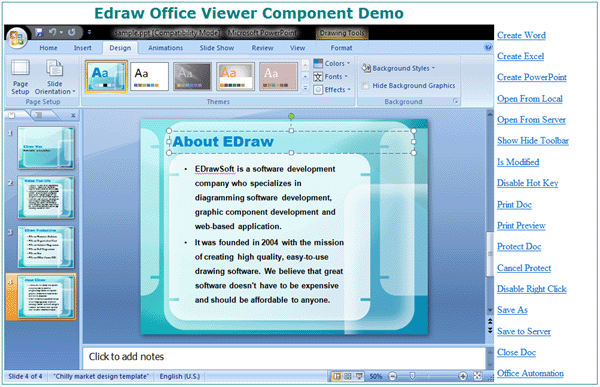
The PowerPoint component allows the developers to embed PowerPoint program anywhere in a web application or .net form by simply inserting com component.
Click Here to Download Office Viewer Component - Support Word, Excel, PowerPoint, Visio and Project
 5 MB
5 MB
This following codes describe an approach to displaying PowerPoint presentations within a web page using officeviewer.cab file.
This is how you use the office viewer component to host ms Excel document.
<object classid="clsid:7677E74E-5831-4C9E-A2DD-9B1EF9DF2DB4"
id="OA1" width="100%" height="100%" codebase="https://www.edrawsoft.com/download/officeviewer.cab#7,5,0,355">
<param name="Toolbars" value="-1">
<param name="BorderColor" value="15647136">
<param name="BorderStyle" value="2">
</object>
And this is how you display a PowerPoint presentation file on the fly.
function OpenFromServer()
{
var sPath= window.prompt("Type the file url:", "http://www.ocxt.com/demo/samples/sample.ppt");
document.all.OA1.Open(sPath, "PowerPoint.Application");
}
The following script to play the slideshow automatically when the PowerPoint file opened in the component.
function OA1_DocumentOpened()
{
//You can do the office automation here
//var objWord = document.OA1.ActiveDocument;
//objWord.Content.Text = "You can do the office Automation with the Edraw Viewer
Component.";
document.all.OA1.SetAppFocus();
document.all.OA1.SlideShowPlay(true);
}
It's possible to use the above code in ASP, ASP.NET or PHP language. The PowerPoint component can be used at any programming language which supports ActiveX Control such as C#, WPF, Delphi, Perl, VB, VB.NET. The component supports seamless integration with PowerPoint 97, PowerPoint 2000, PowerPoint 2003, PowerPoint 2007 and PowerPoint 2010.
Embed MS Office in ASP.NET Program

